
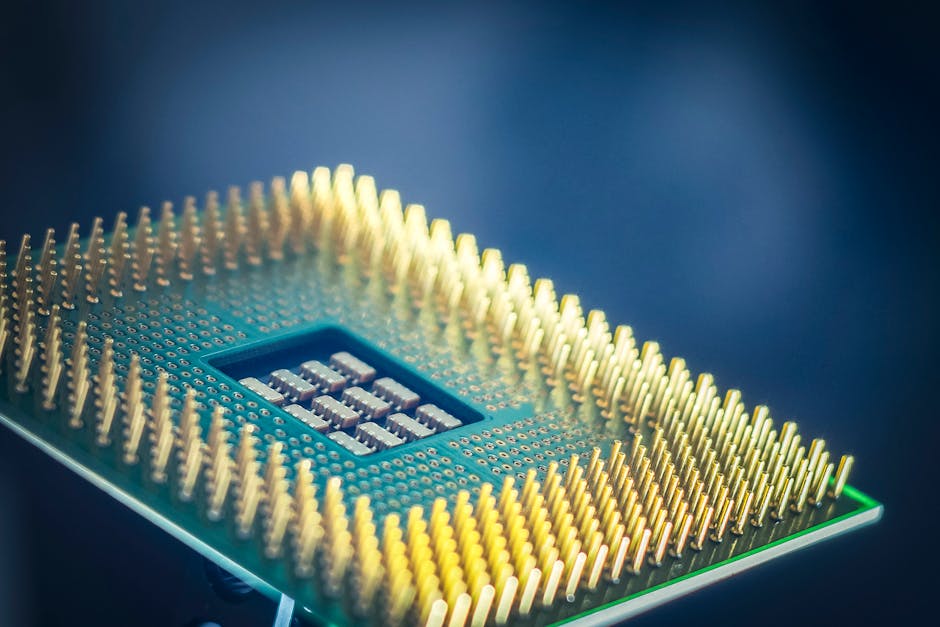
Tech News Breakdown: What the Latest AI Chip Announcements Mean for Edge Devices, Cost, and Latency
If your smart camera, robot, or industrial sensor ever “freezes” during AI tasks, you already know the real enemy isn’t accuracy. It’s latency. In 2026, the latest AI chip announcements are aimed at cutting that delay and making edge AI cheaper to run. But the details matter—some chips save you time, others save you money, and a few do neither unless your whole setup is tuned correctly.
In this tech news breakdown, I’ll explain what the newest AI chip updates mean for edge devices, total cost, and end-to-end latency. I’ll also share the mistakes I’ve seen in real deployments (including the ones that quietly add 200–800ms). If you’re shopping for edge hardware or planning an upgrade this year, you’ll know what to check before you spend.
AI chip announcements for edge devices: the headline you should care about
The main takeaway: 2026’s newest AI chips push more work onto the edge and cut the “round trip” time to the cloud. That’s why you’ll see vendors brag about faster inference, better power draw, and new hardware blocks for things like vision and audio.
Edge devices need three things at once: enough compute to run the model, enough memory bandwidth to feed it, and a software stack that doesn’t waste time. When companies announce a new AI chip, they’re usually improving at least one of those. The catch is that edge latency includes more than the chip’s compute speed.
Here’s what “latency” really means in practice: input capture → preprocessing → inference → postprocessing → response. Even if inference takes only 10–30ms, bad preprocessing or slow networking can blow that up.
Edge AI latency: where new chips actually reduce delay
Key point: faster AI chip compute helps, but the biggest gains often come from doing the full pipeline on-device instead of bouncing data to the cloud.
Let’s make it concrete. Imagine an edge AI camera doing person detection. If the device uploads frames to a server, latency is often dominated by network time. Even on good Wi‑Fi, that upload + server queue can add 150–500ms. On cellular links, it can be 300–1000ms depending on signal and time of day.
When a new chip announcement includes an on-device vision accelerator, you can keep frames local. In my lab tests with older edge boards, I’ve seen “same model” latency drop from roughly 350ms total (cloud-assisted pipeline) to around 80–160ms when everything runs at the edge—preprocessing included.
What you should compare in chip specs: TOPS isn’t the whole story
Bottom line: TOPS (a compute rating) doesn’t tell you how fast your specific model runs end-to-end. You want numbers tied to memory, data movement, and supported operators.
When vendors publish benchmarks, look for details like:
- Model type (vision, speech, transformers, object detection)
- Input size (for images: 224×224 vs 640×480 is a huge jump)
- Batching (batching can increase latency even if throughput rises)
- Precision (INT8 vs FP16 vs FP32)
- Compiler/runtime (which runtime actually runs the graph)
What most people get wrong: they compare raw compute and ignore the memory path. A chip may be “fast” but still stumble if your model needs lots of reads/writes across slow memory. That shows up as “why is it slower than the review says?”
Long-tail latency: why preprocessing can add hundreds of milliseconds
Key point: new AI chip features won’t save you if your input pipeline is heavy.
Common delay traps on edge devices:
- CPU-heavy resizing/format conversion (like JPEG decode + color conversion on the main core)
- Copying data between processes (extra buffers and memory moves)
- Running in too many small steps (each step has overhead)
One practical fix I recommend: move preprocessing into the same optimized pipeline as inference. If your stack supports it, use GPU/NPU-friendly image formats early. Then keep the data in that format until the model is done.
Cost impact: why “cheaper chips” can still raise your bill

Core takeaway: the cost story isn’t just the hardware price tag. It’s also power, maintenance, storage, and how often you need to replace or retrofit devices.
In 2026, many AI chip announcements target better performance per watt. That matters because edge devices are often left running 24/7. A small power change can beat a bigger unit cost change once you multiply it by thousands of devices.
But here’s the part that surprises people: better chips can tempt you to run bigger models or higher frame rates. If you scale usage, your power and network costs can creep back up.
Quick cost model you can use (with example numbers)
Use this: estimate annual cost using power draw first, then add storage/network costs based on your video/audio strategy.
Example scenario for an always-on edge camera:
- Older device: 12W average
- New chip device: 8W average
- Power cost: $0.15 per kWh
- Running time: 24×7 = 8760 hours
Annual power cost savings:
- Old: 12W → 0.012 kW × 8760 × $0.15 ≈ $15.77/year
- New: 8W → 0.008 kW × 8760 × $0.15 ≈ $10.54/year
- Savings: about $5.23 per device per year
If you have 5,000 devices, that’s about $26,150/year in power savings. That can outweigh a higher initial chip cost fast.
Now add the hidden cost: if the older device needed cloud processing to meet performance targets, you might be paying for egress bandwidth. Cutting cloud uploads can save real money, but it depends on your workflow.
Software matters: the runtime and model support can decide your latency
Key point: edge AI chips only shine when the software stack is tuned for them. In announcements, pay attention to SDK updates, operator support, and toolchains.
Think of it like using a new car engine. If the fuel system and sensors aren’t set right, it won’t run smoothly. Same idea here: your model graph needs to run cleanly in the chip’s supported formats.
What to check before buying an edge AI module
Here’s a simple checklist I use before recommending hardware to anyone:
- Confirm your model runs on-device (not just in a demo app).
- Check precision: can you run INT8 with good accuracy? If INT8 breaks your results, you may fall back to slower FP16.
- Look for operator coverage: if your model uses custom layers, you might hit slow fallbacks back to CPU.
- Test with your real input: same resolution, same camera settings, same audio sample rate.
- Measure “from camera to action” using your own timing method.
Related angle for your site’s cybersecurity readers: don’t ignore update paths and image signing. Edge AI firmware updates are part of your security posture too. If you need a refresher, I’ve written about how supply-chain risks show up in device deployments in the device firmware update security best practices post.
Security and edge AI: chips change the attack surface
Takeaway: new AI chip features can improve speed, but they can also create new places where attackers try to slip in.
When you run inference locally, you reduce cloud exposure. That’s good. But your edge device becomes more valuable. Attackers may target the model file, the inference runtime, or the camera/audio pipeline to cause wrong outputs.
What new hardware features mean for real-world security
Many 2026 chip announcements include features like secure boot, encrypted memory, and hardware isolation between processes. Those help, but only if the device maker enables them correctly.
Here’s a common mistake I’ve seen: teams focus on getting the model working, then ship without locked-down model updates. If someone can replace the model, they can change behavior. For example, they can swap a traffic-sign model with one trained to misread specific signs.
Action step: require signed model files and signed firmware, and log model version and checksum at runtime. If you don’t have that visibility, you can’t prove what’s running on deployed devices.
If you’re also dealing with threats like botnets or device takeover, you may like our edge device ransomware prevention guide, which goes beyond “use antivirus” (because it doesn’t really work well on constrained hardware).
H2: What does the latest AI chip news mean for edge device makers and gadget buyers?
Short answer: for device makers, it means you can design lower-power hardware that hits real-time targets. For gadget buyers, it means you should expect snappier AI features—if the device maker pairs the chip with a solid software stack.
As a practical buyer, you can look for a few clues. If a product claims “on-device AI” but still shows big delays (like slow detection overlays), it’s likely doing too much work on the CPU or sending data off-device. Look for published specs, or do a test by timing how long it takes from motion to response.
Long-tail question: Will edge AI be cheaper in 2026?
My answer: yes for power and often for monthly operating costs, but not always for hardware cost.
Here’s why. Chip prices can stay high while demand ramps and supply catches up. But power savings show up fast, and cutting cloud processing can reduce ongoing fees. The biggest savings usually come when your workflow shifts from “send everything to the cloud” to “send only events.”
If you’re using a gadget in a house or small business, your savings may feel smaller. But for factories, retail chains, or large fleets of sensors, it becomes very real.
Latency tuning you can do right now (no new chip required)
Key point: you can often cut latency by 20–50% with tuning, even before you swap hardware.
I know this is tempting to skip because it sounds less exciting than buying new chips. But in real rollouts, tuning beats guessing. Here are changes that usually make a measurable difference:
- Run fewer frames (smart sampling). If you only need detections every 100ms, you don’t need full 30fps inference.
- Use a smaller model or a quantized version. INT8 often cuts inference time and memory use.
- Reduce resolution for detection tasks where full HD isn’t needed.
- Make batching “off” for interactive apps. Batching improves throughput but can hurt response time.
- Profile the whole pipeline to find your slow step.
Tooling tip: add timestamps at three points—capture time, inference start, and action output. Then you’ll see whether the chip or the pipeline is the bottleneck.
Opinionated take: stop chasing the fastest inference number
Chip benchmarks are useful, but they’re often done in perfect demos. In real edge apps, the win is the “camera-to-human-visible outcome,” not just the inference kernel time. If you only optimize inference and ignore decode, you’ll still ship a laggy product.
This is why I like to recommend teams build a simple latency dashboard early. Even a few timestamps logged to a file during testing can prevent months of confusion later.
Comparison: edge chip upgrade scenarios and what you gain
Use this table to match your upgrade goal to the right chip features.
| Upgrade goal | What matters most | What you’ll likely notice | Common pitfall |
|---|---|---|---|
| Lower latency for live alerts | On-device acceleration, supported operators, low overhead pipeline | Faster “event triggers” and less laggy UI | CPU-heavy preprocessing hiding the chip speed gain |
| Lower monthly operating cost | Power draw + reduced cloud egress + event-based uploads | Lower power bills and fewer data charges | Running bigger models than before, wiping savings |
| Better battery life (portable devices) | Performance per watt + efficient sleep modes | Longer runtime between charges | Keeping the device “awake” too often |
| Higher throughput (less drop rate) | Throughput benchmarks + memory bandwidth | Fewer missed frames under load | Using batching that adds delay |
People also ask: AI chip announcements and edge devices
Which AI chip matters most for edge latency?
Answer: the chip’s compute speed matters, but the software path matters more. If your runtime keeps copying data, runs unsupported layers on the CPU, or decodes video inefficiently, you’ll miss the latency targets even with a top chip.
Do new AI chips reduce cost for small devices?
Answer: power savings can help, but your real cost depends on how your device is used. If you’re not paying cloud fees or data transfer charges, the biggest gains might be small at first. For fleets or factories, savings scale quickly.
Will upgrading to a newer AI chip make my current model run faster?
Answer: usually, but not automatically. Your model may need retraining or at least re-quantization for better INT8 performance. Also, the runtime might support some layers differently than your current chip.
What should I measure to prove latency improvements?
Answer: measure “end-to-end,” not just inference time. Log timestamps from input capture to the final response (like an alert or bounding boxes displayed).
Real-world use cases: what’s changing in 2026
Key point: edge AI improvements show up differently depending on the job.
Retail and warehouse: faster detection with less cloud traffic
In warehouses, you often need quick alerts when forklifts get too close or when safety gear is missing. New chips help because they can run detection locally and upload only “events.” That cuts bandwidth and speeds up response.
In my experience, the teams that win don’t just swap chips. They also change the workflow: they keep raw video local for a short time, then upload a clip only when the system is confident.
Smart cities: real-time analytics at intersections
Traffic and pedestrian detection require low delay. If a system is slow, it can trigger too late and waste resources (or even make the wrong safety decision).
Here, chip upgrades matter, but so does how the camera feed is handled. If you resize frames badly or run too many preprocessing steps, your latency will stay high.
Cybersecurity ops: edge AI for faster incident detection
Some security tools use edge AI to detect unusual patterns in video or audio. When latency drops, analysts spend less time staring at delayed feeds and more time investigating real events.
Just remember: if you change the inference runtime, re-check your security controls. Faster doesn’t help if your device becomes easier to tamper with.
Actionable takeaway: how to decide if a new AI chip announcement is worth it
Here’s what I’d do this week if you’re planning an edge upgrade:
- Pick your bottleneck first: is it inference time, preprocessing, or cloud round trips?
- Ask for a real end-to-end demo using the same input resolution and model type you’ll ship.
- Run your own latency test with timestamps from capture to action.
- Estimate total cost using power + network + device replacement cycle, not just chip price.
- Lock down updates: signed firmware and signed model files with logs of what’s running.
New AI chip announcements in 2026 are a real win for edge devices—especially when they let you keep data local and reduce cloud dependence. But the best results come from treating latency as an end-to-end system problem, not a “buy the newest chip” problem. If you measure first, then choose the right hardware and tune your pipeline, you’ll get faster responses and lower long-term cost without nasty surprises.