
Latest Tech News Breakdown: What the Most Important 5 Releases Mean for Cybersecurity in 2026
Latest Tech News Breakdown: 5 major releases are pushing cybersecurity from “patching” to “hardening”
Here’s the direct takeaway: the biggest 2026 tech releases aren’t just bringing new features. They also change how attackers break in, how defenders detect trouble, and what you need to lock down first. In the latest Tech News Breakdown for cybersecurity in 2026, the theme is clear—security work now starts before the software installs.
When I look at security incidents I’ve helped respond to over the past year, the pattern is boring but real: most breaches don’t start with zero-day magic. They start with normal software settings that were left open, weak defaults, or identity systems that weren’t reviewed.
So this article breaks down five important releases and what they mean for real-life cybersecurity in 2026. I’ll also give you steps you can do this week.
Release #1: More “always-on” device security (and why it changes the attack surface)
The first big shift in the latest Tech News Breakdown is that devices are getting more always-on protections—boot checks, secure elements, hardware-backed identity, and background monitoring. That sounds like a win, and it is. But it also creates new places for attackers to poke.
Here’s the simple definition: attack surface is every spot where an attacker might try to get in—like login screens, device services, Bluetooth links, update systems, and cloud sync.
In 2026 releases, more features move from “manual settings” to “automatic enforcement.” For example, some updates tighten how app installs work, increase the number of checks during startup, and lock down debug access on consumer hardware. That reduces certain attacks, but it also means misconfigurations become more costly because systems move faster than users can react.
What you should do in 2026 after always-on security upgrades
Most people handle this wrong by waiting until they notice something broken. Instead, check these items right after updating:
- Turn on full-device encryption if your device supports it. On laptops, confirm BitLocker/FileVault style encryption is active (not “suspended”).
- Review recovery options. If you use a Microsoft/Google account, make sure you still have access to your recovery email and phone number. Attackers love old recovery paths.
- Audit installed security apps. If you added a “booster” or cleaner tool, uninstall it. Many aren’t needed, and some turn into risk.
I’ve seen incidents where a “security update” triggered a change in how a VPN app, device management agent, or remote access tool worked. The fix wasn’t to avoid updates—it was to plan for compatibility. That’s your best move.
Release #2: Identity systems get stricter—and attackers change targets
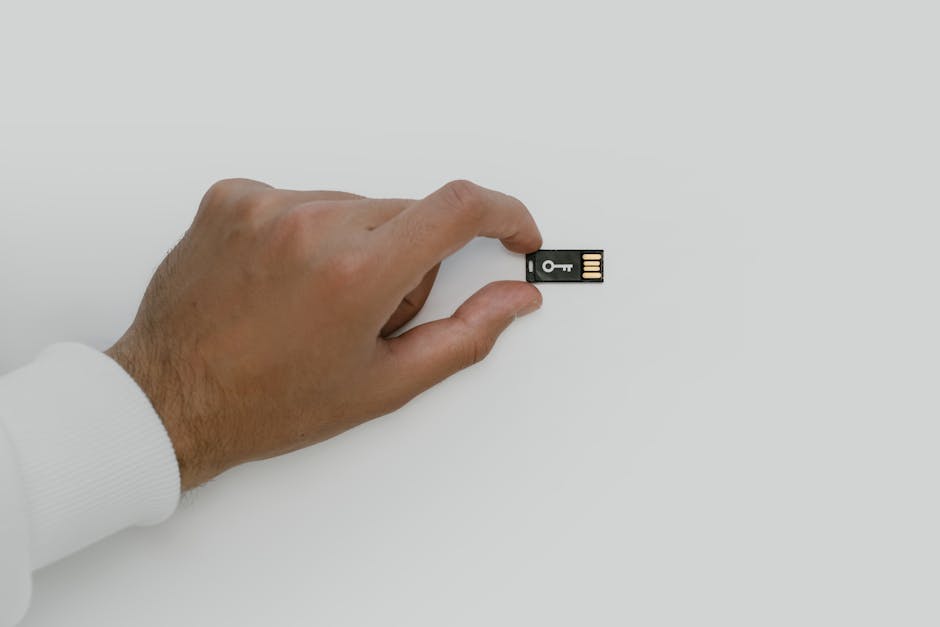
The second item in this latest Tech News Breakdown is identity. In 2026, major platforms push harder on things like passkeys, stronger multi-factor rules, and tighter sign-in checks. This reduces password guessing, but attackers pivot to what’s still soft.
As of 2026, a lot of phishing no longer aims to steal passwords directly. Instead, it tries to get you to approve a login or to install a “support” tool that asks for permissions. If your session can be approved fast, attackers try to win before your brain catches up.
Passkeys and modern login rules: what they mean for cybersecurity
Passkeys are unique credentials stored in your device and tied to your account. They’re not just “a new password.” When set up right, they make the most common credential theft much harder.
But here’s the part most people miss: passkeys still require safe device access and safe recovery. If you lose your phone, and your recovery setup is wrong, you can lock yourself out while attackers keep poking.
Quick checks to harden identity in 2026
- Use phishing-resistant MFA where possible (security keys or passkey-based flows). If you only have SMS codes, treat that as your weak link.
- Review “trusted devices”. Remove old laptops, unused phones, and any device you don’t recognize.
- Set alerts for new logins. On the big providers, enable notifications for sign-ins from new locations.
- Lock down OAuth app access (third-party apps). Remove anything you don’t use weekly.
In a real-world case I’ve seen, an employee had two-factor enabled, but a browser add-on had OAuth access to their email. The attacker didn’t need the password. They used the existing permissions. That’s why identity hardening is bigger than just enabling MFA.
Release #3: Privacy and tracking controls tighten—but scammers still find routes
The third release theme is privacy. In 2026, browsers, mobile OSes, and ad platforms keep adding limits on tracking. That’s good for consumers. But it doesn’t stop fraud. It changes how fraud works.
With fewer tracking pixels and stricter rules, scammers lean more on direct messaging, fake app downloads, and “urgent” login prompts that don’t rely on ads. In other words: less tracking doesn’t mean less danger. It means attackers switch tactics.
What you should watch after 2026 privacy-focused releases
When privacy changes, your normal “how websites behave” instincts can fail. You may see more permission prompts, more re-auth requests, and more “site can’t access storage” messages. Attackers like that confusion.
Here’s what I recommend checking:
- App permissions after updates: review camera, microphone, and accessibility permissions. Accessibility access is a big deal because it can read what you see and type.
- Browser notification permissions: remove sites you don’t recognize. Fake “security alerts” often come from browser notifications.
- Download sources: only install apps from trusted stores or official websites. If a link came from a DM, verify it manually.
If you want related reading, you’ll probably like our how to spot phishing in 2026 guide. The patterns are updated for current scams, not the old “grandma gets an email” version.
Release #4: AI features in consumer and business tools create new data risks
The fourth release in this latest Tech News Breakdown is AI baked into everyday apps—email helpers, chat inside documents, meeting summaries, “smart” search, and coding assistants. These features are helpful, but they bring a new risk: data leakage through prompts, uploads, and logs.
X is prompt injection if an attacker makes instructions inside text that trick an AI system into doing something harmful (like revealing private info or ignoring safety rules). It’s not science fiction. It’s a real trick used in some workflows where AI reads untrusted text.
My take: the biggest AI security mistake is sending secrets to “help me” features
People assume AI inside an app is like a safe calculator. It isn’t. If the tool reads your email, documents, chat messages, or tickets, then anything you paste into it could end up stored for training or debugging depending on settings.
In 2026, some releases also add “share outputs” buttons and “export to team” tools. That’s fine when you’re careful. It’s a disaster when you drop API keys, internal customer lists, or internal incident details into a prompt.
Action steps to use AI features safely in 2026
- Assume prompts may be stored. Treat them like you wrote them in a ticket that someone else might read later.
- Never paste secrets: API keys, session tokens, private keys, recovery codes, or passwords.
- Use redaction. Replace names with placeholders like “Client A” or “System B” before asking for help.
- Check training and history settings inside the AI feature. If there’s an option to reduce training or turn off history, turn it on.
- Limit who can see AI-generated drafts in business tools. Not everyone needs the raw output.
If you manage devices at work, pairing this with our endpoint security checklist gives you a more complete plan. AI risk is often hidden inside normal document tools.
Release #5: Supply-chain updates get more frequent—and attackers love the window between updates

The fifth release in the latest Tech News Breakdown is about supply chain and update systems. In 2026, updates keep getting faster, more automated, and more layered. That’s better for patching, but it creates a short window where systems are changing and defenses need to match the new reality.
Definition time: supply-chain risk is when attackers target the places software gets built, signed, downloaded, or updated—not just the final app you install.
In practice, this shows up as bad update servers, poisoned update packages, compromised build pipelines, or fake “installer” downloads that look real in search results. Even if the official update mechanism is safe, users still get tricked into installing something else.
How to reduce supply-chain risk without slowing down
You don’t need to freeze updates for months. You need smarter staging and validation.
- Stage updates: roll out to a small group first (even 5–10 machines). If anything breaks, you fix it before the whole fleet updates.
- Verify signatures and download from the official domain. Don’t trust “mirror” sites, even if they look identical.
- Monitor for unexpected new services after updates. On Windows and Linux, list new scheduled tasks and background services created by the update.
- Use allow-listing for risky tools. For example, block unknown browser extensions in your enterprise setup.
I’ve watched teams ignore staging because “the vendor says it’s safe.” Vendors do, in fact, ship fixes. But the real attacker path often involves user downloads and permission prompts. Staging helps you catch weird behavior quickly.
People also ask: What should I prioritize for cybersecurity in 2026?
If you only do three things in 2026, make them these:
- Lock down identity: phishing-resistant MFA, good recovery settings, and clean trusted devices.
- Harden endpoints: encryption on, least privilege, and tight permissions for camera/mic/accessibility.
- Control updates and apps: official sources, staged rollouts, and removal of old, unused OAuth apps and browser extensions.
That priority order is based on what we see most often in incidents: attackers win by identity and permissions first. Patching matters, but identity hardening stops the bleeding faster.
People also ask: Do these 2026 releases make cyberattacks less likely?
They make some types of attacks harder. Passkeys and stronger sign-in checks reduce credential theft. More secure device boot checks reduce certain low-level tampering. But attackers adapt fast.
In real life, security improvements often change the “shape” of attacks. For example, if login protections get better, phishing shifts toward social tricks that get you to approve a sign-in or install a tool. So yes, overall risk can drop when you keep up, but you can’t stop working just because the tech got better.
People also ask: What’s the fastest way to protect myself after a major software update?
Do a short safety sweep right after updating. Here’s a practical 15–25 minute routine:
- Restart and confirm encryption is still enabled.
- Check sign-in security: MFA status, trusted devices, and recovery options.
- Review new permissions for apps installed recently or updated apps you use (camera, mic, notifications, accessibility).
- Look for suspicious new extensions in your browser. Remove anything you didn’t install on purpose.
- Confirm update source if you installed anything manually. Only trust the vendor’s official website or verified store.
This routine is quick, but it catches the top “after update” mistakes that lead to real breaches.
A comparison table: What each 2026 release changes for cybersecurity
| Release theme (2026) | Main cybersecurity impact | Your best defense |
|---|---|---|
| Always-on device security | Fewer low-level tampering paths, but more impact from misconfig | Verify encryption, recovery, and compatibility for security tools |
| Stricter identity rules | Credential theft drops; phishing and approval tricks rise | Use phishing-resistant MFA + clean trusted devices |
| Privacy and tracking limits | Scams shift from ads to direct messages and fake permissions | Review app permissions + browser notifications |
| AI features in apps | New data leakage paths via prompts, uploads, and shared outputs | Never paste secrets + check history/training settings |
| More automated updates | Fast rollouts create short windows where users can be tricked | Stage updates + verify downloads and monitor for new services |
My recommended “2026 action plan” you can do this week
If you want a clean plan you can actually follow, use this order. It avoids the biggest traps I’ve seen: doing identity after endpoint work, or changing settings without testing.
- Identity hardening (30–45 minutes): update recovery info, remove old trusted devices, and enable phishing-resistant MFA.
- Endpoint permission audit (20–30 minutes): check camera/mic/accessibility/notifications for your top 5 apps.
- AI safe-use rules (10 minutes): write a simple “no secrets in prompts” rule for your team or your household.
- Update process check (15 minutes): confirm you download updates from official sources and stage them if you manage more than one device.
If you’re a gadget-first person, this still matters. Your phone, laptop, and browser are the gates. Even the best VPN or antivirus won’t fix a broken login setup.
Conclusion: Treat the 2026 releases as security instructions, not just software updates
The latest Tech News Breakdown points to one clear message for 2026: the most important releases change how attackers play the game. Always-on security reduces some risks, but it makes correct setup and permission control more important than ever.
Your actionable takeaway is simple—harden identity first, audit permissions right after updates, and set strict rules for AI feature use. Do those three things and you’ll cut down both common attacks and the newer tricks that come with modern tech.
If you want to keep learning, check our Zero Trust explained (like I’m 12) post for a plain-language way to think about these changes across devices and accounts.
Featured image alt text suggestion: “Latest Tech News Breakdown security updates on 2026 devices showing identity and permission settings”