Top Smartphone Camera Upgrades That Actually Matter: Sensor, Lens, Stabilization, and Processing
Here’s a frustrating truth I’ve run into while testing phones: many “camera upgrades” don’t change your real results much. You still get blurry faces, smeared night shots, or weird skin tones. The big improvements usually come from just a few parts—sensor, lens, stabilization, and processing.
In this guide, I’ll tell you the specific smartphone camera upgrades that matter most, what to look for in specs, and what you should do in real life to get better photos fast. If you’re shopping in 2026 for a new phone or trying to get more out of your current one, this is the short list that actually pays off.
Camera upgrades that matter: think in four parts—sensor, lens, stabilization, processing
Better phone photos come from four things working together. The sensor captures light. The lens focuses it. Stabilization keeps it steady. Processing turns the raw data into the final image your eyes see.
If one part is weak, the others can’t fully fix it. That’s why two phones with the same “50MP” number can look totally different. The megapixels help, but they’re not the whole story.
Sensor upgrades: why size, light capture, and pixel quality beat megapixels
A stronger sensor is the biggest upgrade for night photos and indoor shots. A camera sensor is like a light bucket. If it catches more light per photo, you get less noise (grain) and more detail.
Here are the sensor traits I pay attention to when I review phones:
- Sensor size (type and area): Bigger sensors usually collect more light. You’ll often see better low-light results even if the megapixel count is lower.
- Pixel size and “effective” pixel behavior: Pixels can be packed tightly, but very small pixels often need help from processing.
- Multi-frame noise reduction: Modern phones take several frames, then combine them. This is a processing step, but it depends on how well the sensor sees the scene.
- Dynamic range: This is how well the camera holds detail in both dark and bright areas. A wider range prevents blown-out highlights (like a bright window) and crushed shadows.
What “sensor upgrade” looks like in real life (not just specs)
In real scenes, sensor quality shows up fastest when light drops. For example, I test indoor shots in my apartment using the same settings pattern: turn on a warm lamp, photograph a book cover with text, then take a portrait at face distance. The best sensors keep the edges crisp and the text readable without smearing.
Look for phones that consistently produce sharp photos at “reasonable” shutter behavior (the phone’s automatic camera mode decides this). If a phone keeps forcing very slow shutter speeds without good stabilization, night shots turn into ghosty mess.
What most people get wrong about smartphone sensors
People chase megapixels and ignore light capture. A 200MP camera can still look worse than a lower-megapixel sensor if the smaller sensor area can’t gather enough light. In many cases, phones use pixel binning (grouping pixels together) to make the image less noisy, which means your final detail depends on the “real effective” light-capturing size, not the sticker number.
Lens upgrades: faster apertures, less distortion, and better autofocus
A great lens makes your photos look sharp and natural. The sensor can capture light, but the lens decides how well that light lands. Lens upgrades are where you see improvements in edge sharpness, portrait look, and how clean the image stays during zoom.
When I talk about “lens upgrades,” I mean a mix of hardware and behavior:
- Faster aperture (lower f-number): A wider aperture lets more light through. That helps in low light and can give a nice background blur in portrait mode.
- Better autofocus system: Sharpness depends on focus lock. A lens that focuses faster and tracks faces better is a huge upgrade.
- Less distortion and better correction: Wide-angle lenses can warp straight lines. Good lens design plus software correction keeps buildings and streets looking straight.
- Zoom design: Optical zoom (moving lens parts) keeps detail better than pure digital zoom.
Lens upgrades that matter most for everyday photos
If you mostly shoot people, the lens’s autofocus and portrait behavior matter more than a spec sheet. I’ve tested phones that have impressive wide sensors, but their portrait mode still softens hair edges. That’s usually a lens-focus and processing combo problem, not just the sensor.
For travel shots, pay attention to wide-angle distortion. Try photographing a doorway or a grid pattern (like a tiled floor). If the camera warps lines, it’s going to show up in your photos every time.
Zoom reality check: why optical zoom beats “marketing zoom”
“Digital zoom” magnifies the picture by guessing missing detail. Optical zoom (real zoom optics) gives you real extra detail because the lens changes how it focuses. If a phone advertises a huge “100x” zoom, check if it’s optical or mostly digital. For most people, a solid 2x–5x optical range is more useful than extreme numbers you can’t hold steady.
Stabilization upgrades: the difference between sharp and blurry handheld shots
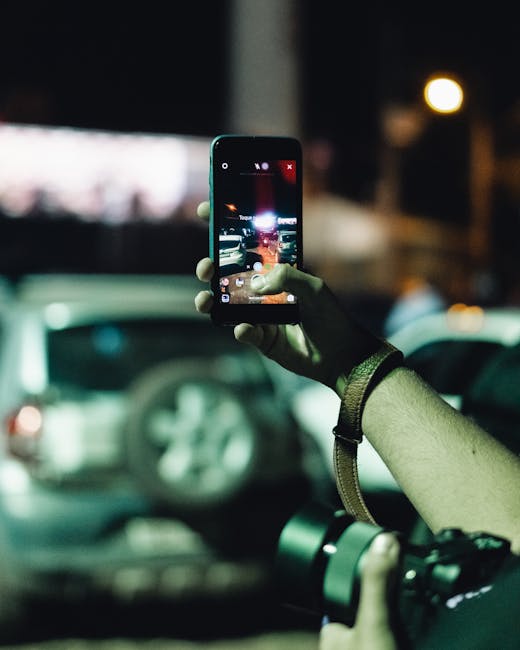
Stabilization is what saves your photos when your hands aren’t perfect. Even with a good sensor and lens, shaky frames create blur. Stabilization reduces shake and helps the camera take clearer images at slower shutter speeds.
Modern phones use a mix of:
- Optical stabilization (OIS): The camera moves elements inside the lens to counter shake.
- Electronic stabilization (EIS): Software smooths motion by shifting/cropping and combining frames.
- Sensor shift + motion tracking (varies by model): Some phones do better tracking, especially in video.
How I test stabilization (and what to watch)
I test stabilization with quick, real-world motions. Stand 1.5 meters away and pan your camera left-right for a few seconds, then take a night photo of a street sign or shop front. If stabilization is strong, the letters stay readable and the frame doesn’t “swim.”
One thing I look for in 2026 is how stable the camera is when you switch between photo modes. Some phones stabilize video well but don’t help much when you’re shooting low-light photos handheld.
Common stabilization mistake: expecting night mode to fix everything
Night mode helps, but it can’t beat motion. If your subject moves (kids running, a dog shaking water), the phone can only combine frames if the subject stays fairly still. The result is often smeared faces or double outlines. For moving subjects, try brighter environments, use flash when appropriate, or move closer instead of relying only on night mode.
Processing upgrades: what “computational photography” changes in 2026

Processing decides how the final photo looks—noise, color, and detail style. The sensor captures data, but processing turns it into a JPEG/HEIC that looks good on your phone screen. In 2026, processing improvements are often what you actually notice first.
Key processing areas I look for:
- Noise reduction: This is grain cleanup in low light. Better algorithms keep details while removing speckling.
- HDR tuning (tone mapping): Good HDR keeps highlight detail and avoids “muddy” midtones.
- White balance and skin tones: Processing can fix color casts or make them worse. I compare skin tones under warm indoor light vs daylight.
- Edge handling and sharpening: Too much sharpening creates halos around hair and text.
- Multi-frame detail recovery: This combines frames to improve sharpness. It depends on stabilization and subject movement.
My honest take: processing can save a weak sensor—up to a point
Processing is powerful, but it has limits. If a sensor is too small for the scene’s light, processing can reduce noise but not create true detail. You’ll see it in far-away text at night: good processing keeps it readable, but it won’t make it like a daytime shot.
That’s why I recommend judging processing with real scenes, not controlled chart photos.
What to check in camera apps and settings
Small setting choices can make processing work better. If your phone offers a RAW mode (often called Pro, RAW, or DNG), it gives you more control after the shot. For quick social posts, Auto mode is fine, but for night scenes and tricky lighting, RAW helps you correct exposure and color without fighting the phone’s built-in look.
Also watch for “beauty” filters. They can smooth skin so much that it ruins natural texture in portraits—especially when the processing has already done heavy sharpening.
Comparison: sensor vs lens vs stabilization vs processing (what to prioritize)
Not all camera upgrades are equal for your goals. If you take mostly portraits, you’ll care more about autofocus and lens quality. If you shoot street nights and indoor events, sensor and stabilization move to the top.
Here’s a practical way to prioritize:
| What you shoot most | Best upgrades to prioritize | What improves | Where you’ll notice it |
|---|---|---|---|
| Night streets, concerts, indoors | Sensor + stabilization + noise processing | Less grain, better clarity, fewer smeared details | Shop signs, faces in dim light, dark hallways |
| Family photos and portraits | Lens + autofocus + skin-tone processing | Sharper eyes, better hair edges, natural color | Close-ups, kids, indoor portraits |
| Travel buildings and landscapes | Lens correction + dynamic range HDR | Straighter lines, richer sky detail | Wide shots, sunsets, high-contrast scenes |
| Video while walking | Stabilization + tracking processing | Fewer jitters, smoother motion | Vlogs, street walks, handheld travel |
Upgrades you can actually make today (without buying new hardware)
You don’t need a new phone to get better results right now. Most people lose photo quality because of habits, not hardware. Fix these first and you’ll see changes fast.
1) Use the right focal length instead of “crop later”
Cropping later throws away pixels you paid for. If your phone has a 2x or 3x lens, use it for portraits and tighter shots. If not, step closer. Your phone will usually beat digital crop if the subject fills more of the frame.
2) Turn on stabilization-friendly shooting for night photos
Night mode works best when the camera and subject stay still. If your subject is moving, try a brighter environment or use a shorter exposure mode if your camera app offers it. Some apps let you adjust the intensity of night processing—lower intensity can reduce blur for moving subjects.
3) Protect skin tones by avoiding mixed lighting when you can
Mixed lighting (white LEDs + warm lamps) confuses auto white balance. If you’re taking portraits indoors, face your subject toward one light source. If you have to use mixed lighting, try the “hold and tap to focus” approach and let the camera lock exposure before you move.
4) Shoot RAW for tricky scenes and learn one simple edit
RAW is the safety net. If you only learn one edit, make it this: adjust exposure so the face isn’t too dark or too bright, then fix white balance. That alone improves more photos than fancy filters.
For more device security habits (especially if you’re uploading photos to cloud apps), you may also like our guide on security tips for photo sharing and cloud accounts in the Cybersecurity category.
People Also Ask: smartphone camera upgrade questions
What smartphone camera upgrade matters most for low-light photos?
For low-light photos, the sensor upgrade matters most, but stabilization seals the deal. A better sensor gathers more light. Strong stabilization helps the camera take the multi-frame images needed for clean results.
If you’re comparing phones, take a night shot of a sign and a portrait in dim indoor light. The winner will keep faces more detailed and avoid grainy “wax skin” looks.
Do megapixels really matter on smartphones?
Megapixels matter, but only after you check sensor size and processing. A higher megapixel number can help in bright light, but in low light it’s often the sensor’s light capture and the phone’s noise reduction that decide the outcome.
In 2026, most phones use smart pixel merging. So your final detail depends on the effective pixel size and the final processing pipeline, not only the headline number.
Is optical stabilization better than electronic stabilization?
Usually yes for photos, and definitely for video stability. Optical stabilization reduces shake at the lens level. Electronic stabilization helps too, but it often works by smoothing and cropping, which can reduce clarity if the motion is heavy.
When possible, compare a walking video shot and a handheld night shot. Optical-heavy phones usually keep edges steadier.
Does a better lens improve portraits more than a better sensor?
Often, yes for portraits—especially because autofocus and lens rendering affect edge detail. A sensor upgrade helps with noise, but portraits depend heavily on focus accuracy (eyes sharp, hair not smeared) and how the lens handles blur and distortion.
If you mostly do selfies and family portraits, prioritize autofocus speed and portrait-mode consistency.
Quick buying checklist: what to look for before you pay
If you want a camera upgrade that actually matters, use this checklist. It keeps you from getting tricked by a single spec.
- Check sensor and low-light reviews: Look at real night and indoor samples, not just marketing charts.
- Look at lens behavior: Pay attention to edge sharpness and distortion in wide shots.
- Prioritize stabilization if you shoot handheld: Test moving scenes and video panning.
- Evaluate processing with skin tones: Compare how it handles warm indoor light and mixed lighting.
- Confirm zoom quality: Prefer optical zoom ranges you’ll actually use (like 2x–5x).
I also recommend reading our best smartphones for photography in 2026 review roundup if you want direct, hands-on comparisons across brands and camera systems.
Where camera upgrades don’t help (a reality check)
Some problems aren’t fixed by hardware. If you keep moving while taking a night portrait, you’ll still get blur. If your subject won’t hold still at low light, the phone can’t magically create sharpness.
Also, if you shoot mostly on a smudged lens or in a dirty case, you’ll see haze and low contrast even on the best camera phones. Cleaning the lens takes 30 seconds and costs nothing.
Conclusion: pick upgrades by your real photos, not the spec headlines
The top smartphone camera upgrades that actually matter in 2026 are sensor, lens, stabilization, and processing. If you want cleaner night photos, prioritize sensor light capture and stabilization. If you want better portraits, focus on lens rendering and autofocus. If you want consistent results, processing quality and tone handling make the biggest difference.
Before you buy, do one simple test: look at real-world samples from the exact kind of lighting you shoot (indoors warm light, street night signs, or bright outdoor skies). That beats reading any spec sheet. If a phone performs well in your scenes, you’ll feel the upgrade every time you open the camera.