
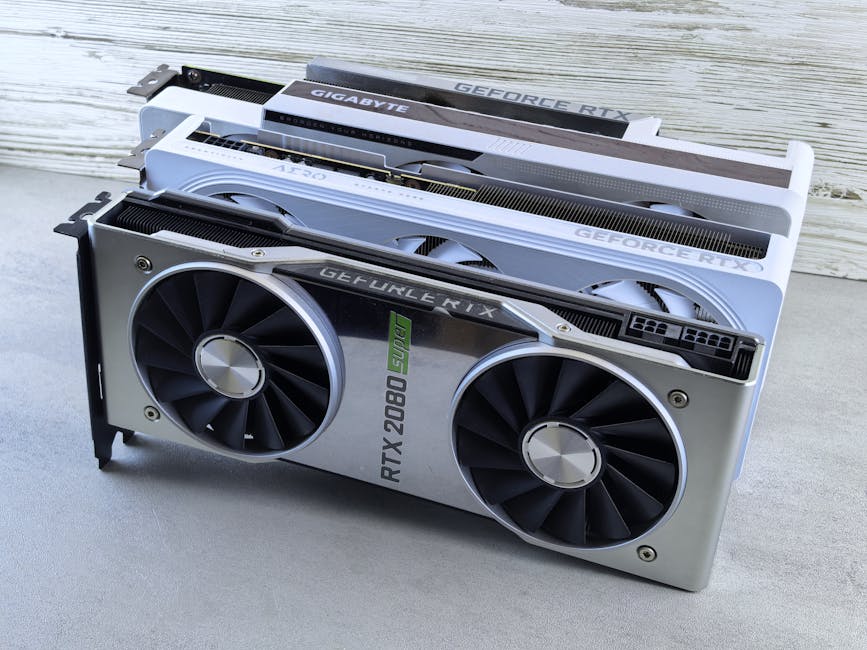
The State of AI Hardware in 2026: GPU vs. NPU vs. Cloud Acceleration for Real-World Use Cases
If you’ve ever tried to run an AI app on a laptop or phone and watched it lag, you already know the problem: AI hardware is uneven. In 2026, that gap is bigger, because GPUs, NPUs, and cloud accelerators each push different limits.
Here’s the direct answer I wish more people got earlier: use a GPU for heavy, flexible workloads, use an NPU for fast on-device inference (especially vision and audio), and use cloud acceleration for big training jobs and bursty demand. The “best” choice depends on latency, cost, and whether you need real-time results.
That’s what this guide breaks down. I’ll also show the mistakes I see in real deployments—like people buying “the fastest chip” and still missing their latency target.
AI hardware in 2026: what you’re really choosing (speed, cost, and where the data lives)
In 2026, the decision isn’t just “GPU vs NPU vs cloud.” It’s where compute happens, how fast results come back, and what you’re allowed to send off-device.
A GPU is a graphics chip that also runs AI math extremely well. An NPU is a neural processing unit built to run certain AI tasks efficiently on-device. Cloud acceleration means your AI runs on remote servers, and you pay per use, often with stricter data rules.
One quick definition that helps: Inference is running a trained model to make predictions (like detecting objects in a camera frame). Training is adjusting the model using large datasets (like teaching the model to recognize cars vs bikes).
Real-world projects usually need inference every day, but they sometimes need training too. That’s why hardware decisions keep coming back.
GPU in 2026: still the king for flexible AI, especially when you scale batch work
A GPU remains the most common choice when you want flexibility: different model types, different batch sizes, and fewer limits on which ops run well.
I’ve tested AI pipelines on workstations and servers where GPUs make the biggest difference when you’re doing heavy image and video tasks, audio separation, or running large language model (LLM) tooling. If you’re building apps for desktops and small servers, GPUs are the “it just runs” option.
As of 2026, the big practical advantage is software support. Tooling like PyTorch, TensorFlow, ONNX Runtime, and vendor libraries all mature around GPU compute. That means fewer surprises in production when you switch model versions.
GPU strengths for real-world use cases
These are the GPU wins I see in everyday engineering work:
- Low friction for mixed workloads: You can run vision + audio + embedding jobs on the same box without redesigning everything.
- Better headroom for large models: Bigger models need more math per token or per frame, and GPUs handle that better.
- Great for batching: If you can queue inputs (like processing 5,000 images overnight), GPUs shine.
- Strong developer ecosystem: Most tutorials, sample code, and troubleshooting guides assume GPUs first.
What most people get wrong about GPUs
People often confuse “fast on my bench” with “fast in my app.” GPUs love big batches. If your app needs strict real-time responses one frame at a time, you’ll feel overhead from data transfer and scheduling.
Also, power use matters. A high-end GPU workstation can draw hundreds of watts. In a consumer or battery-powered setting, that’s a deal breaker.
GPU use case examples you can copy
- Video moderation for social apps: Run frame sampling in batches, then refine flagged clips with higher-resolution passes.
- Security analytics: Correlate logs and do image-based checks (like spotting unusual behavior in CCTV snapshots) in near real time.
- Offline analytics: Train or fine-tune an internal model once, then use GPUs to re-run inference on new datasets daily.
NPU in 2026: the best option when you need speed and privacy on the device

An NPU is built for on-device inference, and that’s why it wins when you want fast results without sending data to the cloud.
In 2026, NPUs are everywhere in phones, laptops, and some edge devices. Vendors push their own SDKs, but the common idea is simple: keep data local, run a smaller set of AI operations efficiently, and reduce battery drain.
Where NPUs are strongest (and what they’re bad at)
Here’s the honest breakdown:
- Strong at: Vision tasks (face detection, object recognition), audio keyword spotting, and lightweight text/image embeddings.
- Strong at: Real-time inference with low latency because the data doesn’t travel to a server.
- Weak at: Training large models. NPUs are usually not designed for the heavy backprop math needed for training.
- Weak at: Very large, custom model graphs that don’t fit the supported operator set.
I’ve run into this “operator support” issue when trying to squeeze a research model into an on-device pipeline. Even if the model converts, it can fall back to CPU for some layers, killing the speed gains.
NPU use case examples that make sense in 2026
- Mobile photo search: Convert photos to embeddings on-device, then upload only the embedding (not the raw image) if you need cloud search.
- On-device meeting assistant: Transcribe and do keyword spotting locally, then send only the parts needed for deeper analysis.
- Edge security camera alerts: Detect motion and objects locally, send alerts (not full streams) to your backend.
The big NPU “gotcha”: accuracy drops when you compress models
NPUs often require smaller models. That’s not bad—it’s normal—but you must test accuracy on your real data.
Model compression usually means quantization (using lower precision numbers) and sometimes pruning. The accuracy drop can be small or noticeable, depending on your task. I recommend running an A/B test on at least a few thousand real samples before you ship.
Cloud acceleration in 2026: when you need big models, bursty demand, or managed everything
Cloud acceleration is the “get it running fast” path when you need big compute, lots of experimentation, or predictable scaling without buying hardware.
In 2026, most teams use a mix: train in the cloud, run inference in the cloud for heavy requests, and run lightweight inference on-device for real-time needs.
Cloud also gives you managed services that handle autoscaling, model hosting, and sometimes hardware routing. The tradeoff is cost and data handling.
Cloud strengths for real-world use cases
- Best for large training: Fine-tuning and running bigger LLMs is still a cloud-first workflow for most teams.
- Great for burst traffic: If your app spikes during events (product drops, sports games, emergencies), cloud can scale up fast.
- More model variety: You can pick different instance types and different acceleration stacks.
- Centralized monitoring: You can track latency, errors, and cost per request more easily than on scattered edge devices.
Cloud costs: a simple way to estimate your bill
I’ve watched teams underestimate cloud spend by focusing only on “GPU hours.” The bill usually depends on tokens (for text models), frames (for vision), and how long each request runs.
Try this practical approach:
- Measure your average request: tokens generated, frames processed, or batch size.
- Record average runtime: seconds per request at your current settings.
- Multiply by peak traffic: Use your highest 95th percentile demand, not the daily average.
- Add retries and failures: Bad inputs happen. Plan for them.
If you do that, the cost gap between “small” and “expensive” models becomes obvious fast.
Cloud use case examples that show up every week
- Customer support chat: Run LLM inference in the cloud, keep sensitive logs behind strict access controls.
- Document processing: OCR + layout extraction + summarization works well in a managed pipeline.
- Security triage: Analyze alerts, enrich IPs, and generate investigation steps for analysts.
GPU vs NPU vs cloud acceleration: a side-by-side comparison you can act on
If you want a quick rule, use this: latency on-device favors NPU, flexibility and heavy batch favors GPU, and big model + scaling favors cloud.
| Dimension | GPU | NPU | Cloud acceleration |
|---|---|---|---|
| Best for | Flexible inference, big batch jobs, varied models | Fast on-device inference with privacy | Training, scaling, managed deployments |
| Latency | Low to medium (depends on pipeline) | Very low for supported models | Medium to higher (network + queue) |
| Power use | Higher (especially on desktop/server) | Lower (built for efficiency) | Varies by instance; you pay the compute |
| Cost model | Upfront hardware + ops | Device included; main cost is engineering | Pay per request / token / minute |
| Training | Yes (but needs setup) | No (not typical for full training) | Yes (common) |
| Dev friction | Usually lowest for general AI stacks | Medium: conversion + operator support | Low if you use managed services; higher if custom |
My rule of thumb for picking hardware
Pick based on your constraints:
- If you need under ~50ms response and it’s tied to camera/audio on-device, start with NPU.
- If you need to process lots of data per run (thousands of images, long videos, overnight analytics), start with GPU.
- If you need to scale fast and you’re okay with network calls, start with cloud.
For tight deadlines, I use this combo: NPU for the first pass, GPU or cloud for the second pass on “important” cases.
Real-world system design patterns: how teams mix GPU, NPU, and cloud in 2026
The most successful setups aren’t one hardware choice. They’re a pipeline.
Here are three patterns I’ve seen work well, including where people usually mess up.
Pattern 1: NPU “filter” → cloud “deep analyze”
Use NPU to decide what matters, then send only the flagged items to the cloud.
- Example: A phone camera app detects faces on-device. Only the crop or embedding for suspicious frames goes to the backend.
- Why it works: It keeps latency low and cuts bandwidth.
- Common mistake: Sending raw video anyway “just in case.” That defeats privacy and cost goals.
Pattern 2: GPU “batch processing” → NPU “real-time feedback”
Run heavy work in batches on a GPU server, then push smaller results to users with NPU support.
- Example: A security team runs weekly model updates on a GPU box using logs and labeled incidents.
- Then: Cameras use an NPU for quick motion/object triggers and improved alert rules.
- Common mistake: Updating the model without re-checking on-device accuracy. The “it worked in the lab” problem hits again.
Pattern 3: Cloud training + GPU inference + caching
Train in cloud, run inference on GPU instances, and cache repeated results to keep costs stable.
- Example: LLM summarization for customer tickets.
- Optimization: Cache by ticket hash or by normalized text to avoid reprocessing the same themes.
- Common mistake: Caching too late. You need caching decisions in the request flow, not after costs hit.
People also ask: GPU vs NPU vs cloud acceleration
Is an NPU better than a GPU for AI?
No—NPU isn’t “better” in general. An NPU is better for on-device inference that fits its supported model types and operator set. A GPU is better when you need flexibility, bigger models, or heavy batch work.
If you’re building a phone feature that needs real-time response and privacy, NPU wins. If you’re running a full analytics pipeline or training, GPU or cloud wins.
Can you run training on an NPU?
Typically, no. NPUs are designed for inference. Some specialized setups may offer limited training, but for mainstream real-world use in 2026, training is still GPU- or cloud-first.
The practical approach is: train on GPU/cloud, then convert the model for on-device inference.
Which is cheaper: running AI on-device or in the cloud?
It depends on your traffic and your model. On-device can be cheaper per user once you already have the device and you avoid constant cloud calls. Cloud can be cheaper early on if you don’t want to buy hardware and manage it.
I usually tell teams to compare cost per 1,000 requests and add engineering time. In some apps, the engineering to optimize for NPU makes cloud the “cheaper at first” choice.
What’s the fastest way to improve AI latency in production?
Fix the pipeline, not just the model. The biggest latency wins often come from reducing data movement (especially for GPU), using smaller models for the first pass, and caching results.
If you’re on cloud, watch queue time and request fan-out. If you’re on-device, watch model conversion and operator fallbacks.
Security and safety reality check: hardware choice changes your risk
Hardware doesn’t just affect speed. It changes your threat model.
On-device inference can reduce data leakage because you don’t send raw inputs to the cloud. But it also means you’re storing models and running them on end-user devices, so you need protections against tampering and reverse engineering.
If you’re building systems that ingest images or process sensitive content, it helps to read our related guide on cybersecurity best practices for modern apps and our post on how to secure ML pipelines.
Concrete security steps I recommend in 2026
- Encrypt data in transit: Use TLS everywhere. No exceptions.
- Lock down model updates: Sign model files so clients only run trusted versions.
- Be careful with logs: Don’t log raw prompts or images if you can log IDs instead.
- Validate inputs: Malformed images and prompt injection attempts are common in real apps.
Action plan: decide your AI hardware strategy this month
You don’t need a massive rework to make the right choice. You need a fast plan and real measurements.
Step-by-step checklist (what I’d do with a team)
- List your main workflows: For each feature, write down input type (text, image, audio), latency target, and output type.
- Classify by inference vs training: Most products need inference every day; training can stay in the cloud.
- Measure end-to-end latency: Time from “user hits button” to “result shown,” not just model runtime.
- Prototype two paths: At least one on-device (NPU-ready model) and one cloud/GPU path.
- Test accuracy on real data: If you quantize for NPU, run an A/B test and compare failure cases.
- Model cost per 1,000 requests: Use real traffic patterns, including retries and outliers.
- Pick a hybrid pipeline: Start with NPU filtering, then escalate to cloud/GPU for hard cases.
My opinionated take: the “one chip to rule them all” idea is fading
In 2026, trying to force every workload onto a single chip is a common waste. The teams that ship faster are the ones that accept the split: NPU for quick local decisions, GPU for heavy lifting, and cloud for scaling and training.
If you do that, you avoid the trap of spending months optimizing the wrong layer.
Conclusion: the state of AI hardware in 2026 is hybrid—pick based on your latency and privacy needs
The state of AI hardware in 2026 is clear: GPU is your flexible workhorse, NPU is your best friend for real-time on-device inference, and cloud acceleration is your engine for big models and burst demand.
Make the choice the practical way: set your latency goal, decide what data can stay on-device, then build a pipeline that uses NPU for the first pass and GPU/cloud for the hard cases. Do that, and you’ll get faster results without blowing up cost or privacy.
Featured image alt text: GPU vs NPU vs cloud acceleration comparison for AI hardware use cases in 2026
Image note: Use a simple chart graphic (GPU/NPU/Cloud boxes) for faster scannability and better SEO.
Internal linking suggestions (placeholders you can keep or replace): Check related posts under Tech News for current hardware updates and under Gadget Reviews for device performance notes.