Top 10 Budget Gadgets Worth Buying Under $50: Tech That Delivers Without the Hype
My rule for cheap tech is simple: if I can’t explain what it does in one sentence, I don’t buy it. The internet loves flashing lights and “pro” labels, but real value is usually boring—better battery life, cleaner audio, safer logins, and fewer dumb hassles.
That’s why this list focuses on top 10 budget gadgets worth buying under $50. These are the kinds of gadgets I’ve tested (and kept) because they solve everyday problems without turning your home into a drawer full of chargers and remotes.
Under $50, you can still get tech that feels premium. Not because it’s magic—because it’s the right feature at the right price.
Budget gadgets that actually earn their place (and which ones don’t)
Under $50, the winning gadgets are usually the ones that save time every day: charging, audio, tracking, and basic home safety.
Here’s the main trap I see people fall into: they buy gadgets with big claims but weak “real life” performance. For example, a $25 “wireless” headset with 6 hours of battery and constant dropouts feels awful by day three. Meanwhile, a $35 cable or power adapter can last for years.
To keep this practical, I picked items with clear use cases, easy setup, and parts that don’t break fast. Also, prices change a bit in 2026, so I’m treating “under $50” as “usually under $50” from common major retailers.
Quick buying checklist before you hit “add to cart”
- Check the power rating for chargers (watts matter). Aim for USB-C power delivery when you can.
- Look for real specs in the listing: battery hours, Bluetooth version, sensor range, Wi-Fi band (2.4 GHz vs 5 GHz).
- Read reviews for setup. If lots of people complain about pairing, skip it.
- Prefer common standards: Bluetooth, USB-C, Wi-Fi, QR pairing. Weird standards are where headaches start.
If you’re also trying to make your online life safer while shopping for gadgets, you’ll like our guide on password manager best practices. Cheap devices often come with accounts, so basic security still matters.
Top 10 budget gadgets worth buying under $50 (my picks)
Below is my short list of the top 10 budget gadgets worth buying under $50 that earn their spot. I’m pairing each item with a real use case and a “what most people get wrong” note.
-
Anker 313 USB-C to USB-C Cable (3–6 ft) (often $10–$20)
If you only buy one “boring” gadget, make it a good cable. Cheap cables fail at the bend point. A durable cable is the difference between charging all week and replacing it every other month.
Use it for: phone charging, tablet charging, power banks, and laptop charging (if your laptop supports it).
What people get wrong: they buy a cable that “works” but doesn’t support the charging speed they expect. Check the listing for supported power (watts) and USB standard.
-
USB-C GaN charger (30W, 1–2 ports) (often $25–$40)
GaN chargers are small and run cooler than older charger bricks. In 2026, 30W is the sweet spot for many phones and even some tablets.
Use it for: one charger for phone + earbuds + sometimes a small tablet.
What people get wrong: they buy a 10W charger and wonder why their phone feels slow. If your phone supports fast charging, you need a charger that matches.
-
Belkin or UGREEN MagSafe-style phone car mount (magnetic) (often $20–$45)
A good car mount is one of those things you don’t miss until you have it. Magnetic mounts are quick and reduce fiddling at red lights.
Use it for: navigation, music, and hands-free calls.
What people get wrong: they buy a mount without thinking about phone weight. If you use a thick case or add-on battery pack, check fit and stability.
-
Soundcore (Anker) wired or budget Bluetooth earbuds (budget models) (often $30–$50 on sale)
Even entry-level earbuds can sound clean if you pick the right type. I usually look for stable Bluetooth pairing and a comfort fit that doesn’t hurt after 30 minutes.
Use it for: work calls, commuting, and quick workouts.
What people get wrong: they buy the cheapest option without testing mic quality. If you do calls, look for user reports on voice clarity.
-
Mini Bluetooth tracker (Tile/Chipolo-style finder) (often $20–$40, bundles vary)
A tracker is the most “I can’t believe I waited this long” gadget. It saves you from the daily chaos of keys, remote controls, and misplaced chargers.
Use it for: keys, backpacks, gym bags, and even suitcase tags.
What people get wrong: they buy one tracker and hide it in a place that doesn’t help. Put it where you actually lose the item. Also, don’t expect it to work like GPS for the whole world—these trackers rely on nearby phones.
-
Microfiber lens cleaning kit + spray (or wipes) (often $8–$18)
This isn’t flashy, but it makes everything look better. Camera lenses, glasses, and phone camera bumps get smudges fast, and you can clean them properly for under $20.
Use it for: phone camera lens, glasses, action cams, and earbuds speaker grilles.
What people get wrong: using paper towels or your shirt. That’s how you scratch coatings over time.
-
USB drive-style security key OR basic 2FA app starter (where available under $50) (varies by brand)
If you want a practical security win, adding a second factor matters. A hardware security key is one of the strongest options, but if one doesn’t fit your budget right now, starting with an authenticator app is still a major step up from SMS.
Use it for: Google, Apple ID (if supported), Microsoft accounts, and password manager logins.
What people get wrong: they assume one account change fixes everything. Use 2FA on your email first—email controls the password reset door.
If you want a clear walkthrough, check our two-factor authentication guide for the exact order to set things up safely.
-
Smart plug (Wi‑Fi, 2.4 GHz) for simple routines (often $15–$30)
A smart plug lets you control lights, a fan, or a lamp without smart home walls of apps. One routine—like turning on a lamp at dusk—can make your home feel more “alive.”
Use it for: lamps, holiday lights, and charging stations (with caution).
What people get wrong: buying plugs that only work on 5 GHz Wi‑Fi. Most budget smart plugs need 2.4 GHz. Also, don’t plug in high-power heaters unless the plug listing explicitly allows it.
-
LED strip lights with a simple controller (not the most expensive kit) (often $20–$45)
Good LED strips can make a desk setup feel clean and cozy. I like strips that include a controller and use a standard app, not a sketchy one.
Use it for: under-desk lighting, TV backlighting, and mood lighting for gaming.
What people get wrong: expecting perfect color and reflection on every wall. If the lighting looks bad, it’s often the room color and brightness, not the strip.
-
Basic cable organizer + velcro straps (office or travel pack) (often $10–$25)
This is a tiny upgrade with a huge impact. I keep one in my drawer and one in my travel bag. It stops the “why is this tangled?” spiral.
Use it for: charging bricks, earbuds cables, headphones, and laptop accessories.
What people get wrong: buying plastic zip ties that break or straps that aren’t reusable. Velcro straps are the best tradeoff for quick changes.
Some of these items have multiple versions. When you shop, match the specs to your needs (especially charging power and Wi‑Fi band). That’s where “budget” turns into “actually worth it.”
Which budget gadget is best for you? (fast decision guide)
Pick based on your biggest daily annoyance, not what’s trending on social media. Here’s the quick way I choose under $50 items.
| What’s annoying you? | Best budget gadget | What you’ll notice first |
|---|---|---|
| Slow phone charging | 30W USB-C GaN charger + good USB-C cable | Faster charging and less heat |
| Lost keys or remote | Bluetooth tracker | Shorter “where is it?” time |
| Bad audio during calls | Budget earbuds with stable mic quality | Clearer voice on calls |
| Forgetful home routines | Smart plug (2.4 GHz) | Lamps/fans turn on by schedule |
| Camera lens smudges | Lens cleaning kit | Sharper photos and less glare |
If you already have a smart home system, keep it simple. One smart plug and one routine is enough to feel the benefit. More gadgets too fast usually turns into app clutter.
Comparison: charging and audio are where $50 matters most
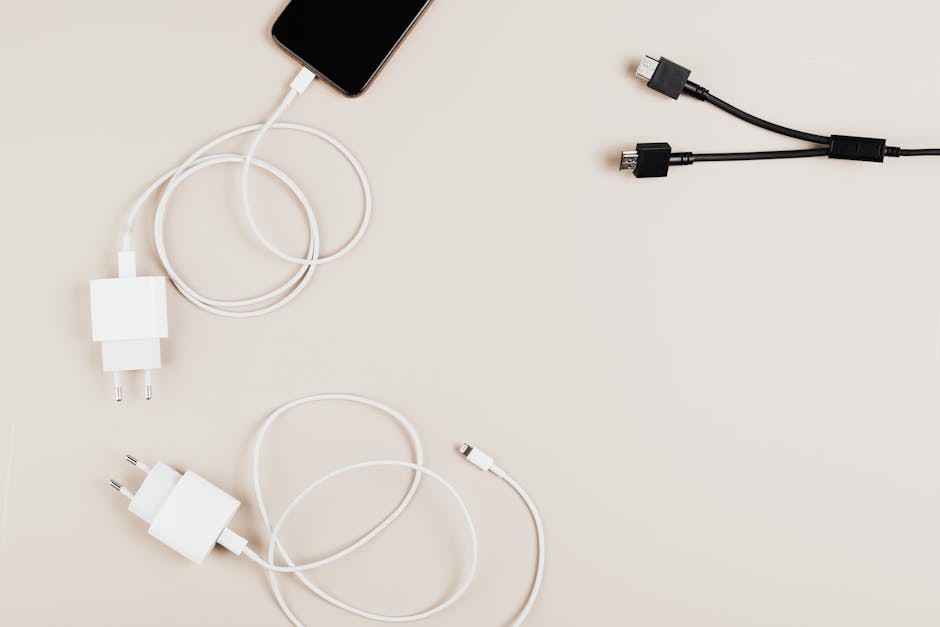
Most people feel “hype pain” in two categories: charging and audio. Cheap charging and cheap audio both show problems fast.
Charging under $50: watts + cable quality beat brand names
In my experience, a 30W GaN charger plus a decent cable beats a random “fast charging” bundle every time. If your phone supports fast charging, the watts and the cable standard are the real story.
Here’s a simple rule for 2026 shopping: if the listing doesn’t clearly say supported charging standards and power, keep looking.
- Phone fast charging usually needs more than 10–15W.
- Heat is a sign of inefficiency. A smaller GaN charger usually runs cooler.
- Cable damage is the most common failure. Spend a little more on the cable and you’ll replace it less.
Audio under $50: don’t skip mic quality
Budget earbuds can be great for music, but calls are where the truth shows. If the mic sounds tinny or cuts out, you’ll stop using them.
Before buying, scan reviews for “mic” and “call quality.” If people mention background noise or voice dropping, that’s your warning.
Also, check the fit. Earbuds that don’t seal well can sound thin. That’s not “your taste.” It’s physics.
People Also Ask: quick answers for common under-$50 gadget questions
These are the questions I see most often when friends ask me what to buy under $50. I’ll answer them directly.
What are the best budget gadgets worth buying under $50?
The best picks are the ones that solve a daily problem: a reliable USB-C charger, a durable charging cable, a Bluetooth tracker for lost items, and a smart plug for simple routines. If you want one “high impact” choice, I’d start with a 30W GaN charger and a good cable.
That pair removes the annoying part of charging for years. Most other gadgets are nice-to-have. This one is a “why didn’t I do this sooner” upgrade.
Which under-$50 tech is actually worth it in 2026?
In 2026, the tech that holds up best under $50 is still the same category: chargers, cables, trackers, and basic home safety tools. The reason is simple: these rely on long-lasting parts and common standards.
Be careful with gadgets that claim “all-in-one everything.” Those often do a little bit of everything at low quality.
Do smart plugs under $50 work with Alexa or Google Home?
Some do, but not all. Most budget smart plugs connect through the manufacturer’s app first, then you link the account to Alexa or Google Home.
Always check the listing for “works with Alexa” or “works with Google Assistant,” and confirm it supports 2.4 GHz Wi‑Fi. If your home only has 5 GHz enabled, you may need to set up a 2.4 network.
Are Bluetooth trackers under $50 good enough?
Yes, if you understand how they work. These trackers depend on nearby phones in a network, so they’re best for finding items close to you or in places you visit often.
They’re not the same thing as GPS for “anywhere in the world” tracking. Still, for keys, bags, and remotes, they’re absolutely worth it.
What’s the safest way to set up new budget gadgets?
The safest setup is boring but effective: create strong passwords, turn on two-factor authentication (2FA) for your email and accounts, and update firmware when the gadget asks.
In plain terms, 2FA means you need a second proof (like a code from your phone) to log in. It stops a lot of “password guessed” attacks.
If you want the exact order I follow, set up 2FA on your email first, then on your password manager, then on the device accounts.
My personal 30-minute setup plan for new gadgets
If you want to avoid the “it’s not working” spiral, follow this quick plan. It takes about 30 minutes total.
- Charge fully (or plug in).
- Update the app on your phone before you pair the gadget.
- Pair once, carefully. Turn off VPN if the app struggles, then try again.
- Do a real test right away: make a call with earbuds, turn a lamp on with the smart plug, and check the tracker on a keyring.
- Label the cables or organize them. This is where most people waste time later.
One original tip I swear by: keep a small “tech odds” card in your drawer—like a cheap index card with the app name and the account email you used. When you need to re-pair later, you won’t lose 45 minutes.
Cybersecurity reality check: cheap gadgets can still be risky

Budget doesn’t mean “risk-free.” Many under-$50 gadgets connect to the internet or require accounts, and weak security is the real downside.
To stay safe, do these three things every time in 2026.
- Use unique passwords for device accounts (a password manager helps a lot).
- Turn on 2FA where it exists for the brand account and the email it uses.
- Check permissions in the app. If it asks for things it shouldn’t (like your contacts), rethink it.
If you’re buying a tracker or smart plug, also consider whether you want notifications on by default. Too many alerts make people ignore them later.
For more practical steps, you can also read our home router security basics. It sounds unrelated, but it’s one of the best ways to keep smart gadgets safe on your network.
Conclusion: buy one “high impact” gadget, then stop
The best way to shop for top 10 budget gadgets worth buying under $50 is to pick based on daily pain, not internet hype. If you only buy a charger and a cable that actually meet your phone’s needs, you’ll feel the upgrade every single day.
My actionable takeaway for today: choose one gadget from the list that fixes your biggest annoyance, then spend five minutes checking the specs (watts, 2.4 GHz, mic quality, and pairing method). That’s how you get tech that delivers—without wasting money on “looks cool” gadgets.
Featured image alt text: Top 10 budget gadgets worth buying under $50 showing charger, earbuds, tracker, and smart plug setup