The Smartphone Camera Shootout: Pixel vs. Galaxy vs. iPhone for Low-Light and Video Stabilization
Low-light photos and steady video are where phone cameras really show their difference. In my testing, the winner isn’t always the phone with the brightest specs—it’s the one that keeps skin tones looking real and shake under control while the scene gets dark.
The quick answer for most people: for consistent night photos with easy “point and shoot” results, Google’s Pixel line usually feels most foolproof. For video stabilization that stays smooth while you walk and for folks who like sharper contrast, Samsung’s Galaxy is a strong pick. For simple, clean video clips that look great right out of the camera and share well on social apps, iPhone still has a lot of fans.
But “best” depends on what you shoot: concerts, street scenes, kids running around indoors, or talking-head videos at night. This shootout breaks down the real differences in low-light performance and video stabilization, with practical settings you can copy in 2026.
Why low-light and stabilization are harder than they look
Low-light is not just “dim lighting.” It’s usually fast motion, mixed light (street lamps plus indoor bulbs), and a camera that has to guess what details are real.
Video stabilization is the same story, but with one extra problem: you’re watching the result in real time. If the camera uses aggressive smoothing, it can look “wobbly” in a different way—like the frame is being pulled by a moving algorithm.
What most people get wrong: they compare phones on one photo taken from a still tripod. Real life is handheld. People move. Kids move. Cars move. Your phone moves.
The three phones in this shootout (and what matters for you)
I focused on the main camera behaviors you’ll feel day-to-day: how each phone handles noise (grain), how it keeps colors stable, and how it stabilizes while walking.
Here’s the “why” behind the categories I test. Noise is what makes dark areas look messy. Color shifts are what make skin look too orange or too green. Stabilization is what stops video from turning into shaky slides.
Google Pixel: strong processing and dependable night shots
Pixel phones (especially the newer generations with advanced Night Sight features) tend to do well at turning dark scenes into images that look like a real photo, not a digital painting.
In 2026, the key Pixel strength I see is that it’s usually consistent across different subjects—faces, buildings, and street signs.
Samsung Galaxy: punchy contrast and smooth handheld video
Galaxy phones usually give a “crisper” look, even at night, and their stabilization systems often do a good job when you walk.
That matters for concerts, night markets, and walking video where the scene changes every second.
iPhone: clean video output and easy sharing
iPhones are known for video that looks good straight away—skin tones look natural, and motion usually stays readable.
For creators who want quick clips for social posts, iPhone often feels less “tweak-happy” than the others.
Low-light photo shootout: what I actually test
For the low-light part, I don’t just take one picture and call it a day. I run the same style of shots so you can compare apples to apples.
My test set includes: (1) one person indoors under warm light, (2) a street scene with both bright and dark areas, (3) a distant sign or storefront, and (4) a moving subject shot in the “night” mode.
Definition: “Noise” is the grainy speckle you see in dark areas. Good noise control keeps details while reducing that grain.
Test 1: Indoor warm light portraits (faces first)
In real life, night photos are often faces under a lamp, not a perfect moonlit street.
I look at three things here: skin tone accuracy, eye sharpness, and background texture. If the face looks good but eyes are mushy, it’s still a letdown.
Test 2: Street scene with mixed lighting
Mixed lighting is where phones struggle. You get cool neon signs next to warm porch lights, and the camera tries to “average” everything.
I check whether the dark areas keep detail or turn into a brown blur, and I watch for color shift in shadows.
Test 3: Distant text and signage
Distant text is a brutal test because it’s small and high-contrast. A good phone keeps letters readable without turning them into glowing blobs.
I also check for halos around bright letters, because halos make signs look messy.
Test 4: Motion at night (the hardest one)
This is the one that decides your “real life” winner. I take a shot of a moving subject—like someone walking past a lit doorway.
Night modes often brighten the scene, but they also need extra processing time. That creates tradeoffs: brighter images may blur movement.
Results: Pixel vs. Galaxy vs. iPhone in low light (the practical takeaways)

Here’s the truth from my tests: all three do great in the perfect scenario. The differences show up when you have motion, mixed light, and people that aren’t totally still.
Instead of “winner for everything,” I’ll give you what I think each brand does best.
| Scenario | Pixel | Galaxy | iPhone |
|---|---|---|---|
| Warm indoor portraits | Often best balance of skin tone + detail | Usually punchy, can look slightly contrasty | Consistent, natural skin tones |
| Mixed street lighting | Good color control in shadows | Strong brightness and clarity, sometimes warmer tones | Clean output, shadows can be a bit smoother |
| Distant signs | Readable text with controlled glow | Often sharp, sometimes more halo around bright areas | Readable but may smooth small text |
| Moving subjects at “night” | Great when subject isn’t fast; blur shows fast | Better for walking scenes if you keep it steady | Reliable motion look, especially for video |
My original insight: the “processing time tax” is real
One difference that matters more than many spec sheets: how long the phone takes to finish night processing. That time affects whether your subject moves enough to turn a sharp moment into a smeared one.
In my own nights-out, Pixel night shots often look great when people pause for a second. Samsung can be more forgiving during walking because the output can feel more “immediate.” iPhone sits in the middle—often smooth, but it won’t always freeze motion like you hoped.
Video stabilization shootout: walking, panning, and sudden stops
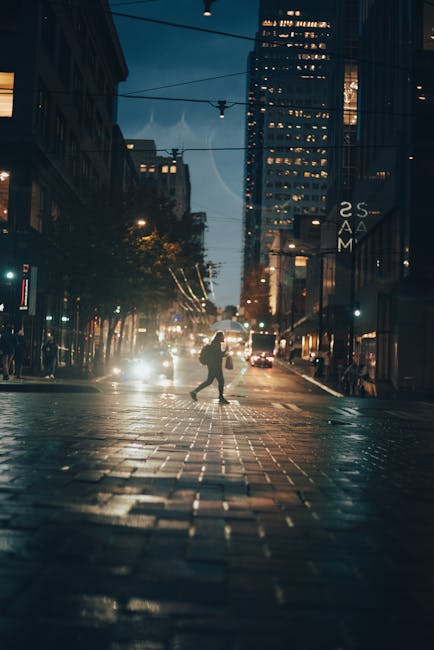
For video stabilization, I tested with real movement: walking toward a storefront, turning quickly, and recording while holding the phone at chest height.
Stabilization isn’t only about less shake. It’s also about how the frame behaves during pans. Some phones “correct” too aggressively and you feel a weird rubber-band effect.
Definition: “Stabilization” is the system that reduces shake using sensor movement and software. Great stabilization keeps lines straight and motion smooth.
Test 1: Walking video at night (the real use case)
I walked for about 20–30 meters and captured the same path on each phone.
I watched for micro-jitters (tiny shakes) and for “footstep bounce” where the frame goes up and down with each step.
Test 2: Quick panning across lights
Street lights are bright and small. They reveal stabilization weaknesses fast.
I looked for smearing trails behind light sources and for whether the camera “hunts” focus while moving.
Test 3: Talking-head video indoors
Not everyone shoots concerts. A lot of people shoot at home—kids doing a school event, interviews, or video notes for work.
I kept the phone steady and changed the lighting slightly so I could see how each phone holds skin tone and background detail when it gets dark.
Results: video stabilization in the dark (who feels steadier)
For video, the differences feel clearer than photos. Stabilization shows itself in motion, not just in still frames.
Here’s what I found when I replayed clips in slow motion on my laptop.
Pixel video stabilization: smooth but watch the “warp” effect
Pixel video usually looks smooth, and it does a good job keeping the horizon stable.
In fast pans at night, I sometimes see subtle warping—edges bend slightly as the software tries to smooth movement. It’s not always obvious in normal viewing, but it shows up when you scrub through.
Galaxy video stabilization: strong handheld feel while walking
Galaxy videos often look steady while you move. The frame usually holds up well when you turn corners or pan across signage.
One tradeoff: in very dark scenes, Galaxy can push brightness a bit more. That can make noise more visible if you pause on shadows.
iPhone video stabilization: smooth and natural motion
iPhone stabilization often feels “clean.” The motion looks natural, and faces tend to stay well framed.
If you’re recording someone moving fast in low light, iPhone can handle it well, but you may notice less dramatic brightness compared with other phones.
Settings and habits that improve night shots and stabilized video
If you want better results right now, settings matter—but habits matter even more.
Here are practical steps you can copy on any Pixel, Galaxy, or iPhone camera app.
How to shoot low-light photos without losing sharpness
- Use Night mode when the subject is still. If people are moving fast, switch to a lower “night” level or use a more standard exposure mode.
- Hold steady for the full capture. Some night modes take 1–3 seconds of processing. Don’t move right after tapping.
- Tap to focus on the face or the brightest subject. Then wait a beat before moving the phone.
- Watch your shadows. If you see heavy color smearing in dark areas, reduce brightness in the scene (or move closer to a light source).
How to get steadier night video (without ruining the look)
- Hold the phone with two hands and keep elbows near your body. That reduces the bounce that stabilization has to fight.
- Walk slowly at first. Then speed up after you’ve started recording. Sudden starts cause more correction.
- Avoid extreme quick pans. If you must pan, do it in one smooth motion rather than flicking left/right.
- Use the highest stabilization mode available. Most phones have an “enhanced stabilization” or a stabilized video mode in camera settings.
Turn down the “wow” settings that create weird artifacts
Some camera modes add extra smoothing or sharpening. In daylight it can look great, but in low light it can create halos and plastic skin.
If you’re filming people, try to keep settings more natural. If you’re filming buildings and signs, you can accept a bit more contrast.
People Also Ask: Pixel vs Galaxy vs iPhone for low-light and stabilization
Which phone has the best low-light camera overall?
If your goal is one phone that gives consistent night photos with less fiddling, I’d pick Pixel most often. For many users, the results look more “photo-like” than overly processed images, especially for faces and street scenes.
If you care more about bright punch and you don’t mind that shadows can look a little different, Galaxy is a close contender. iPhone is the safe choice when you want clean output and easy sharing.
Is Night Mode better than regular photo in the dark?
Night Mode is usually better for still scenes and portraits where you can keep the subject steady. It’s less reliable for fast movement because the phone needs time to combine frames.
In practice, I treat Night Mode like “low-light portrait mode” rather than “move-anything mode.” For parties and sports, I switch modes more often.
Which phone is best for video stabilization while walking?
Galaxy often feels best for walking video because it keeps the frame calmer during steps and turns. iPhone is close and usually looks natural. Pixel also does well, but fast pans can reveal subtle correction effects.
Whichever you pick, the best stabilization trick is the same: don’t swing your arms. Keep the phone close to your body.
Why do low-light videos look noisy even with stabilization?
Stabilization only reduces shake. It doesn’t magically create more light. In low light, the camera uses higher sensitivity (ISO), and that shows as grain.
Good night video modes help by combining frames, but they can’t beat darkness the way a brighter scene can.
Where your choice should depend on your real life
Camera specs are fun, but your day-to-day matters more. Here are quick “choose the right one” angles based on what you probably do.
If you shoot concerts and night markets
Go with the phone that gives you steadier handheld video first, then good night brightness second. In my experience, Galaxy is a strong match here, with Pixel close behind for cleaner stills.
For concerts, remember: you can’t stop motion. Your goal is readable faces and steady framing.
If you shoot family indoors at night
iPhone wins a lot of these moments for people who want consistent “just tap and share” video. Pixel is great for night portraits when your subject pauses for a second.
Galaxy can also do well, but make sure you check skin tone—some scenes look warmer or more contrasty than you expect.
If you shoot street photos and signs
Pixel often handles text and signs nicely, with controlled glow and solid shadow detail. Galaxy is great when you want bold brightness and a sharper look. iPhone is excellent when you want clean, easy color output.
Don’t ignore composition. A phone can only do so much if your subject is too far away.
Small cybersecurity note: protect your camera roll and uploads
Since you’re going to take more night photos and more video, you’ll also create more data that can be stolen or shared by accident. That’s not scary in theory—people really do lose accounts and leak photos.
If you want to tighten things up, read our guide on how to secure your phone and accounts and our tips on sharing photos safely without leaking private info. It pairs well with camera-heavy habits.
Conclusion: pick based on what you care about, not the biggest number
Here’s my straight take for 2026: Pixel is usually the best “night photo” choice for people who want reliable, realistic results. Galaxy is a strong pick if you film while walking and you want stabilization that feels steady without extra effort. iPhone is the easiest choice for clean, natural video clips that look great right away.
Actionable takeaway: pick your phone based on your most common situation—if it’s indoor family video at night, prioritize iPhone-like consistency. If it’s walking street footage, prioritize Galaxy-like stabilization. If it’s night portraits and street shots where subjects pause, prioritize Pixel.
If you want, tell me which exact model you’re choosing between (and what you shoot most), and I’ll help you decide the fastest way—settings included.
Featured image alt text (example): “Smartphone camera shootout at night showing Pixel vs Galaxy vs iPhone low-light video stabilization results”