Smartwatch Health Sensors Explained: Accuracy Limits, Validation, and What the Numbers Actually Mean
Smartwatch health sensors are good at trends, but the “exact number” can be wrong
I’ve owned a few smartwatches over the years, and the biggest surprise is how often the headline numbers look “medical-grade” even when the sensor is doing guesswork. That doesn’t mean the watch is useless. It means you have to read the numbers the right way.
Smartwatch health sensors turn body signals into estimates. Accuracy depends on motion, skin tone, fit, temperature, and how your body is doing that day. The best use is spotting changes, not treating the watch like a lab machine.
What “smartwatch health sensors” measure (and how they work)
Most smartwatch health sensors fall into a few buckets: heart rate, oxygen level, sleep signals, and sometimes ECG or temperature. Each one uses a different trick to sense the body.
Optical heart rate (PPG): the most common smartwatch health sensor
PPG stands for photoplethysmography. It’s a fancy way of saying the watch shines light into your skin and watches how the light changes as blood moves under the surface.
Here’s what people miss: PPG reads changing light, not “blood” directly. If you move your wrist, your grip changes, or your watch shifts, the reading can drift. That’s why readings can look great when you’re still and jump around when you’re doing chores or workouts.
SpO2 (blood oxygen): a second optical sensor, with tougher conditions
SpO2 estimates how much oxygen your red blood cells are carrying. Most watches use two light wavelengths and math to infer saturation.
SpO2 is more sensitive to motion and skin conditions than heart rate. Cold hands also matter. If your fingers are stiff, the watch has a harder time keeping the signal steady.
ECG (electrocardiogram): not “always on” and not the same as a hospital test
An ECG measures electrical activity in your heart. Some watches do a single-lead ECG when you place your finger on a button or when electrodes touch your skin.
That’s still useful, but it’s not continuous like a Holter monitor. If you’re looking for a “24/7 ECG,” most smartwatches won’t give you that.
Temperature and skin sensors: helpful context, not a body thermometer
Many devices estimate body temperature using skin temperature and sometimes changes over time. Wear them consistently and you can see patterns. Wear them loosely or change positions and the number gets noisy fast.
If you’re sick, a real thermometer and symptom check still come first.
Accuracy limits: why your smartwatch numbers can be off (even when the watch is “working”)
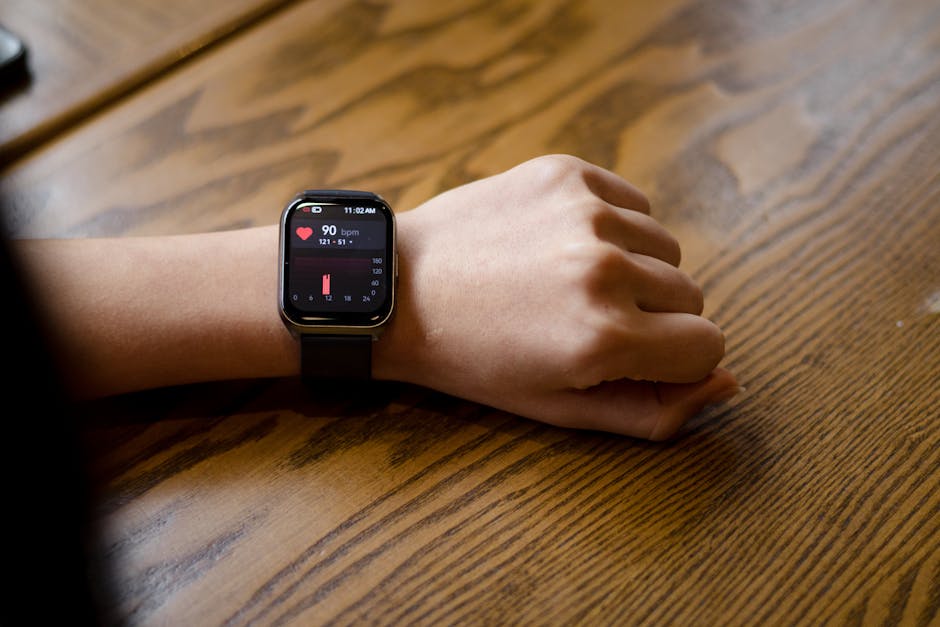
The key takeaway: smartwatches are built for real life, not perfect lab conditions. Your body doesn’t sit still like a sensor test rig.
Motion is the #1 reason heart rate and sleep metrics wobble
During workouts, wrist movement creates extra signal noise. If your watch is loose, it can move up and down and the PPG signal quality drops.
In sleep mode, you move less, so readings usually improve. But even then, blankets, arm position, and sweat can change the skin contact.
Fit and placement matter more than most people think
I’ve done this experiment with friends: tighten the band one notch, make sure the sensor area stays flush, and repeat the same walk. The heart rate curve often gets smoother within a few minutes.
With PPG, “flush” beats “tight.” Too tight can be uncomfortable, and it can also change blood flow readings. The right fit is snug but not painful.
Skin tone, tattoos, and hair can change optical sensor performance
Optical sensors depend on how light bounces through your skin and blood. Watches do improve algorithms over time, but the raw signal can still vary a lot between people.
Tattoos and hair near the sensor area can also block or scatter light. If you have either, place the watch where the skin contact is clean.
Cold weather and low blood flow can skew readings
Cold hands reduce blood flow close to the skin. That weakens the PPG signal and can make SpO2 and heart rate less stable.
If you live somewhere cold, do this: warm up your arms, then check readings again after 10–15 minutes. You’ll often see the signal quality snap back.
Sleeping position affects sleep-stage guesses
Sleep staging is one of those things people treat like a truth machine. It’s not. Many watches combine heart rate patterns, movement, and oxygen trends, then use a model to guess stages.
Two nights can look very different just because you slept on your side versus your back.
Validation: what “accuracy studies” should include (and what to watch for)

If you read a spec sheet, you’ll mostly see marketing numbers. Real validation is harder. The best studies explain how they tested the sensors and compared them to known tools.
Look for a comparison to a medical-grade reference device
For heart rate, studies compare the watch to ECG or a medical HR monitor. For SpO2, they often use a pulse oximeter or blood oxygen measurement in a controlled setup.
A good paper tells you the reference method, the sample size, and the conditions (rest, walking, running, different skin types, and so on).
Pay attention to “mean error” and “limits of agreement”
Here’s a direct way to think about it. A watch might say “average accuracy” is high, but the real question is how wide the errors are for individuals.
In many tech studies, you’ll see a graph with spread. When the spread is wide, the watch is fine for broad trends but not for a single-day medical decision.
Ask: were tests done with real people doing real activities?
Bench tests don’t capture everything. What matters is whether the watch was tested while people were walking, doing stairs, shifting wrist position, and wearing it like a normal user.
As of 2026, strong validation work includes different activity levels and a clear description of how the device was worn.
Watch for “FDA-cleared” vs “advertised health claims”
ECG features on some watches can be cleared for certain rhythms, but clearance doesn’t mean it diagnoses everything. It also doesn’t mean a reading should replace a clinician.
When a product makes big health claims, I check the exact scope of the approval and what it’s meant for. You should too.
What the numbers actually mean: HR, SpO2, sleep, and ECG in plain language
This is the part most people skim, then blame themselves when the watch surprises them. Here’s how to read the common metrics without overreacting.
Heart rate: accuracy vs. “good enough for trend”
Smartwatch heart rate is usually best when you’re still or doing steady exercise. During intense or messy movement, it can lag or smooth data in a way you won’t notice.
Practical rule: treat heart rate like a fitness dashboard. If you’re training, compare your zones and trends over weeks, not single minutes.
Resting heart rate: watch the baseline change, not the day-to-day noise
Resting heart rate is one of the most useful signals because it reflects your body’s baseline. It also changes with stress, alcohol, poor sleep, and illness.
Don’t chase one weird reading. Track it for at least 2–4 weeks and look for direction. If your resting HR drops for a month, that’s often a sign you’re recovering well.
SpO2: use it as a pattern check, not a panic button
If your SpO2 dips slightly one evening, that doesn’t automatically mean something is wrong. Motion, cold hands, and poor sensor contact can cause dips.
If SpO2 is consistently low across nights (for example, repeated readings well below your normal), then it’s worth talking to a doctor—especially if you have symptoms like shortness of breath or persistent fatigue.
Sleep stages: “best estimate” is the honest label
Sleep stage numbers are estimates based on patterns. They’re more useful for comparing “your” nights than for comparing to someone else’s bedtime routine.
Most people get this wrong: they fixate on one category like REM. Better approach: look at total sleep time, wake-ups, and consistency.
ECG: what a single-lead snapshot can (and can’t) do
A one-time ECG can help capture certain rhythm issues when symptoms happen. It can be a strong clue, but it’s not a full replacement for a medical rhythm monitor.
If your watch flags something, the best move is to write down the time, symptoms, and activity—and then get medical guidance. Don’t ignore symptoms just because the watch looks “mostly fine.”
Use-case guidance: how to get the most reliable results from your smartwatch
Here’s how I get better data when I’m reviewing health sensors on watches: I make the reading conditions repeatable.
Step-by-step: set up your watch for more accurate sensors
- Wear it the same way every day: put it on the same arm, at the same position. Don’t keep switching wrists because it changes skin contact.
- Check snugness: you should feel stable contact, not a sliding sensor. If it rotates, tighten by one notch.
- Improve sensor quality during workouts: for running, keep wrist movement consistent when possible. If your motion is erratic, expect heart-rate smoothing.
- Let the watch warm up: cold sensors can be noisy. After you put it on, wait 2–5 minutes before judging SpO2.
- Use trends: compare weekly averages for resting HR and sleep time, not single snapshots.
Real-world examples I’ve seen
Example 1: The “low SpO2 night”. A friend got a low oxygen reading after a cold evening walk. We checked the band fit and moved the watch slightly higher on the forearm. The next two nights matched her baseline.
Example 2: Exercise heart rate inflation. Another person wore the watch too loose during interval training. Tightening the band by one notch smoothed the spikes and made the training zones more realistic.
People Also Ask: common smartwatch health sensor questions
Are smartwatch health sensors accurate enough to replace a doctor?
No. Smartwatch health sensors are great for screening risk and tracking trends, but they don’t replace clinical tests. If you have symptoms, follow up with a professional and use the watch data as supporting notes.
If your watch shows something concerning (like repeated abnormal ECG alerts), treat that as a prompt to get checked—not as a final answer.
How can I improve SpO2 accuracy on my smartwatch?
Make sure the sensor area has good skin contact, keep the watch warm (cold hands mess with readings), and avoid looking at SpO2 right after heavy motion. Then compare your results over several readings at rest.
If the band is loose enough to move, SpO2 will be jumpy. That’s the most common fix.
Why does my sleep stage data change so much between nights?
Sleep stage guesses change because your body and your motion change. Also, the watch depends on stable sensor contact. A new pillow height, different arm position, or a tighter band can all shift the algorithm’s inputs.
Focus on trends like total sleep time and number of wake periods. Treat stage percentages as “directional.”
Do ECG smartwatches work for everyone?
They can work well for many people, but results depend on skin contact, electrode placement, and whether you can hold still for the recording. Some watches work better than others in real life when it comes to capturing clean signals.
Also, a single-lead ECG can’t see every heart problem. It’s a snapshot of one angle.
What’s more reliable: optical heart rate or chest straps?
In most sports settings, chest straps can be more consistent for heart rate during hard movement. Smartwatches are improving fast, but straps still have less wrist-motion noise.
If training precision matters, consider a chest strap for workouts and use the watch for daily trends.
Accuracy vs privacy: your health data needs the same security as your passwords
This is the part that doesn’t get enough attention. When your smartwatch syncs health data, it creates a detailed timeline of your body.
That data can be sensitive. Someone who gets access can infer sleep habits, workouts, and daily routines.
If you care about protecting it, read how-to steps in our guide on how to secure smartwatches and paired phones and check our medical data privacy basics.
Comparison table: how to interpret key smartwatch metrics
Use this quick guide when you see a number you don’t recognize.
| Metric | Best use | Most common reason it looks wrong | What to do |
|---|---|---|---|
| Heart rate | Trends, daily baseline, workout zone patterns | Wrist motion, loose fit | Compare weekly averages; tighten band if readings are jumpy |
| Resting heart rate | Recovery tracking, stress/illness hints | Sleep changes, alcohol, stress | Look at 2–4 week direction, not one day |
| SpO2 | Pattern check at rest | Cold hands, poor contact, movement | Repeat at rest; if consistently low, talk to a clinician |
| Sleep stages | Consistency and sleep quality trends | Sensor contact shifts, arm position, blanket heat | Focus on total sleep and wake-ups; don’t obsess over one stage |
| ECG | Rhythm snapshots when symptoms happen | Electrode contact, staying still long enough | Save the reading and symptoms; seek medical advice if flagged |
My honest take: what most people get wrong about smartwatch health sensors
The biggest mistake is turning the watch into a “scoreboard” for guilt. If sleep says you slept badly, people get stressed. Stress then worsens sleep. It becomes a feedback loop.
The better mindset is: the watch is a coach. It points to patterns, and you adjust your habits like hydration, bedtime routine, and training load.
Another thing I see: people compare their smartwatch to someone else’s results. That’s not apples-to-apples. Different devices, different fits, and different bodies mean you’re comparing sensors and models, not just “you.”
Actionable takeaway for 2026: treat sensor numbers like estimates with context
Here’s what you can do today. Wear your watch consistently for two weeks, track weekly averages for resting heart rate, total sleep time, and any repeated SpO2 patterns at rest. If something stays consistently off—or you have symptoms—use the watch data to help your next medical conversation.
Smartwatch health sensors explained in one sentence: they’re built to spot changes in real life, but the exact number isn’t a diagnosis. Use them for trends, validate your setup, and keep the data protected.
If you want more practical guidance for hands-on tech, you’ll probably like our best gadget privacy tips for 2026—it pairs well with health tracking because both rely on careful setup and smart settings.
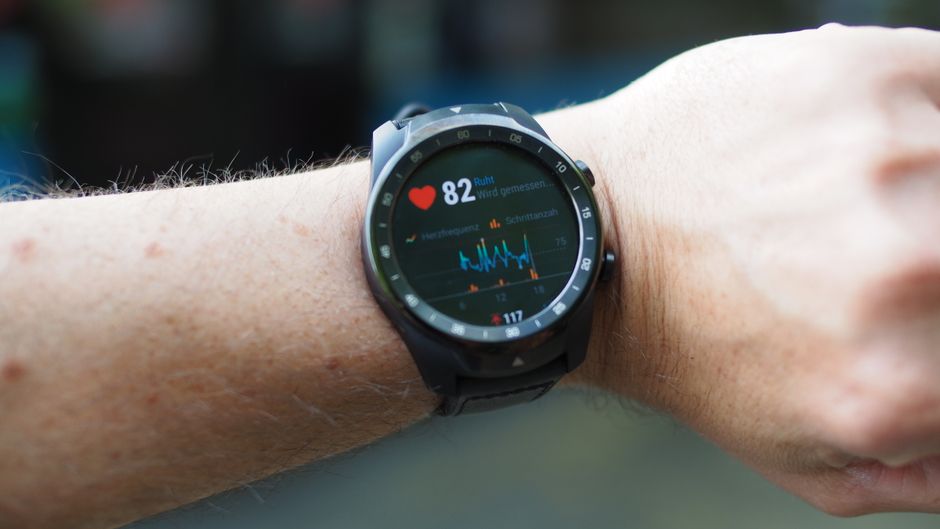
Featured image alt text suggestion: Smartwatch health sensors explained—PPG lights and SpO2 readings on a wrist in real-world use