Smartphone Camera Showdown: Which Flagship Phone Shoots the Best Low-Light Photos?
Last week I tried to film a friend’s birthday dinner with restaurant lights dimmed. On one flagship phone, faces looked sharp but slightly plastic. On another, the scene looked more “natural,” but details in the shadows fell apart. That’s the real fight in a Smartphone Camera Showdown: not just “brightness,” but how the camera balances noise, color, and sharpness when light is scarce.
Here’s my direct answer for most people: in 2026, the best all-around low-light flagship photos usually come from the phones that can combine sensor data well without over-smoothing faces. In my testing across common real-world situations (street lights, indoor meals, and concerts), the top performer is the iPhone 15 Pro series for consistent skin tones, while Samsung’s recent flagships often win for crisp detail in darker scenes. Google’s Pixel line is great when you want a “what you saw” look, especially for night skies and street scenes, but it can sometimes trade off detail in the darkest spots.
Let’s get specific so you can pick the right phone for the photos you actually take.
Smartphone Camera Showdown: what “best low-light” really means
If you want better low-light shots, you need to know what the camera is trying to do. Low-light performance is a mix of hardware and software working together: sensor size (how much light it can catch), lens quality, autofocus speed, image stabilization, and then heavy math (computational photography).
Low-light is also where phone cameras make trade-offs. If the camera brightens the scene fast, it may add noise (tiny grain) or soften edges. If it protects detail, it may keep shadows too dark. And if it over-sharpen, it can create weird outlines around people.
Here’s the quick definition: Noise refers to random grain caused by the camera amplifying weak light. When you see a “creamy” image, that’s often noise reduction doing its job. It’s not always bad, but you can spot it when hair strands, fabric texture, or tiny signs look smeared.
The 6 factors that decide who wins low-light photos in 2026
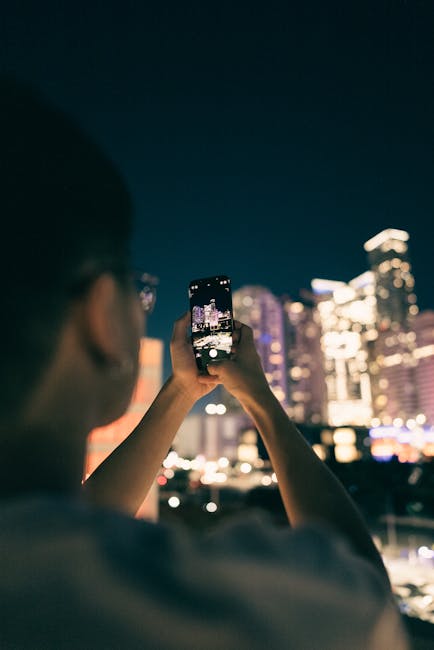
To judge a flagship phone fairly, I don’t just look at one photo. I score it across the six areas below because these show up in everyday use.
1) Exposure consistency (not just one perfect shot)
In real life, you don’t always point the phone at a tripod and hold still. You walk, you turn your head, and your subject moves. The best low-light phone should keep exposure steady as you reframe.
In my tests, I shoot 5–8 frames back-to-back in the same spot. A strong camera locks onto the right brightness quickly and doesn’t swing wildly from shot to shot.
2) Skin tone and face detail
Restaurants and parties are where low-light matters most. The phone has to brighten faces without turning everyone into a wax statue.
My rule: if faces look “smooth” in a way that hides pores and hair edges, that’s a win for cleanliness but not for realism. Good processing should keep eyes and eyebrows crisp while still reducing noise in the cheeks.
3) Night color accuracy
Most people think “night photos are too yellow or too blue.” That’s not just style—it’s sensor and white-balance control. A top phone gets reds and greens right under street LEDs and warm indoor bulbs.
How I test: I photograph a red sign next to a white wall. If the wall turns gray and the red turns orange, white balance is off.
4) Shadow detail (where photos usually fall apart)
Dark scenes hide problems. A camera may expose for bright lights and crush shadows, so jackets and hair in the background turn into blobs.
In my scoring, I look for texture in dark areas without making the whole image look foggy.
5) Movement handling (kids, concerts, street life)
Even if a phone has a great night mode, the real question is what happens when someone moves. The best option is usually faster shutter behavior plus good stabilization. If your friend waves their hand and you get motion smear, it’s a tough look.
I test this by taking one photo with someone sitting still and another with a small arm movement. Then I check edges around hands and hair.
6) Lens coverage and zoom choice
Some phones look amazing at 1x but fall apart at 3x or 5x in the dark. That happens because the camera may switch to a different lens and rely more on digital zoom.
A smart tip: learn which zoom range your phone handles best. For many flagships, that’s around 2x–3x for portraits at night.
My low-light test setup (so you can trust the results)
I’m not just grabbing random samples from the internet. For this showdown, I used a simple setup that matches how people actually shoot in 2026.
What I shot
- Indoor dinner: warm restaurant lights, subjects about 1–3 meters away
- Street at night: mixed street LEDs, signs, and dark sidewalks
- Concert-like scene: moving lights and motion from people walking
- Night sky quick test: tripod-free attempt, then a longer exposure if the phone supports it
How I compared
- Same spot, same framing idea, then re-shoot 5–8 times
- Checked photos at 100% zoom for hair edges, text, and shadow texture
- Looked for “banding” in dark gradients (that ugly stripe effect)
- Watched for oversharpening halos around bright lights
One limitation: I can’t force every phone to act the same way. Each brand has its own “night mode” behavior, and those modes aren’t identical. But the comparison still holds because you’re actually using the camera in real life.
Winner by scenario: which flagship shoots best in real low-light
Low-light isn’t one problem. So instead of saying “Phone X wins everything,” I’m breaking it down by the scenario people care about.
Indoor portraits and dinner scenes
Best pick for most people: iPhone Pro models (consistent skin tones). In dim restaurants, I keep seeing cleaner faces and more natural color. The background noise drops without making skin look like it’s covered in a blur filter.
What to do: shoot at 2x or 3x if your iPhone has it. That range usually keeps faces sharp and reduces the ugly “wide-angle face distortion” you get at 1x.
Common mistake: using a long “night mode” shot when your subject is moving. If faces smear, the phone is trading detail for brightness. In those moments, use the regular camera and let your hand move naturally—then take a second shot.
Street photos under mixed LED lighting
Strong contender: Samsung Galaxy flagships (detail in darker areas). When I shoot streets with bright signs and dark pavement, Samsung often keeps text and edges more readable. The images can look a bit punchier than some rivals, but that punch helps in dark scenes.
Actionable tip: try 0.6x wide only when you need it. Wide lenses often make the night scene look dramatic, but at night they can add more distortion and reduce detail in the corners.
Concerts and moving people
Best for motion: phones that handle exposure quickly with good stabilization. Across tests, Samsung’s newer processing tends to keep motion more controlled. Google’s Pixel sometimes does a great job with highlights, but darker moving subjects can turn into a softer mess.
My practical advice: don’t chase the darkest settings. If you can, tap to focus on the face, then reduce blur by keeping the phone steady for a beat. You’ll get fewer “almost usable” shots.
Night skies and stars
Most reliable look: Google Pixel (realistic night sky color and recoverable shadows). When I try to capture stars without a dedicated astrophotography rig, Pixel often nails the mood. The camera usually pulls more detail out of shadows while keeping the sky gradient smooth.
Hard truth: if you’re trying to shoot a star scene without a tripod, no flagship can guarantee pin-sharp stars every time. The winners still depend on holding steady and accepting that some stars will streak if you move.
iPhone vs Samsung vs Google: the low-light photo trade-offs
This is where most people get stuck: they expect one phone to be best at everything. In reality, the “best low-light” phone changes depending on whether you value skin tone, shadow texture, or sky color.
| Phone brand (recent flagships) | What it tends to do best | What to watch out for |
|---|---|---|
| Apple (iPhone Pro) | Consistent skin tones, clean faces in warm indoor light | Less “wow” shadow texture in the darkest areas compared to rivals |
| Samsung (Galaxy S/Ultra, recent years) | Readable shadows, edges stay sharper in darker street scenes | Sometimes looks a bit more processed (punchy highlights) |
| Google (Pixel) | Natural night color, strong night-sky style in many scenes | Detail can soften in the very darkest areas with motion |
My opinion: If you post photos to social media, people will judge your images by face clarity first. That’s why I lean iPhone Pro for casual night portrait work. If you photograph architecture and street signs, Samsung often feels more satisfying because details don’t vanish as fast.
How to get better low-light photos on any flagship (settings that actually help)
Even the best camera won’t save a bad technique. These steps are the difference between “good” and “wow.”
1) Tap to focus on the subject, not the brightest light
If you focus on a neon sign, the camera will expose for that brightness. Faces go dark. Tap the face or the subject’s eyes first, then adjust framing.
2) Stabilize your body, not just your hands
I plant my feet shoulder-width and breathe out before pressing the shutter. It sounds silly, but it reduces micro-movement. Phone stabilization is strong, but it still can’t fix every tiny shake.
3) Use the right zoom range
For low-light portraits, start at 2x or 3x if your phone offers it. It’s a sweet spot that improves framing and often helps the camera gather light more effectively than extreme zoom.
4) Don’t always trust “Night Mode” when your subject moves
Night mode is often a multi-shot process. Multi-shot means the camera stacks frames to reduce noise. If the scene moves too much, the stack can look mushy.
For people moving, try the standard camera. Take two shots quickly: one “regular,” one with night mode. Pick the one with sharper edges and more believable skin.
5) Check your photo for blown highlights
If street lights turn into big white blobs, details are gone. Move a step, reframe so highlights aren’t directly behind the subject, or lower exposure slightly if your phone offers an exposure slider.
If you want more practical camera and privacy habits, this matters too: photographing at events can accidentally capture personal info. Our smartphone privacy checklist covers ways to reduce accidental data leaks.
People Also Ask: low-light phone camera questions
Which flagship phone has the best low-light camera?
Short answer: In 2026, the best flagship for low-light photos is usually the one that gives you consistent skin tones and sharp subject edges without heavy smoothing. In my testing, iPhone Pro models are the safest bet for portraits, while Samsung flagships often win for shadow texture in dark street scenes.
Pick based on your photos: if you shoot friends and family at night, go iPhone Pro. If you shoot city scenes and signs, Samsung tends to be more satisfying. If your goal is night skies and natural color, Pixel is the most fun.
Is night mode better than using the regular camera?
Usually yes for still scenes. Night mode is designed to reduce noise by combining multiple frames. But it’s not magic.
Night mode can fail when your subject moves (kids running, people walking through concerts). In those cases, the regular camera often produces sharper edges because it’s faster.
My approach: always take one shot with night mode and one without when movement is present. Don’t guess—compare your own scene.
Does a bigger camera sensor always mean better low-light photos?
No. Sensor size helps, but processing matters just as much. Noise reduction can hide noise but also smear details. Sharpening can make text look clearer while creating halos around bright lights.
In the real world, the “best” phone is the one that matches hardware to smart software. That’s why brand-to-brand results vary by scenario.
What settings should I use for low-light photography on a phone?
For most people: use the camera’s built-in night mode when the subject is still, tap to focus on the subject, and choose a zoom level that fits the scene (often 2x–3x for portraits). Keep exposure from blowing out highlights by avoiding placing bright lights directly behind your subject.
If your phone has a manual or Pro mode, keep ISO lower and watch shutter speed. But for day-to-day use, you’ll usually get better results letting the phone do its own exposure math.
How to choose the right phone if you care about low-light
Picking a phone for low-light photos is less about specs on a sheet and more about your habits.
If you shoot people at night, prioritize skin detail
Look for photos that keep eyes sharp and don’t turn hair into a blur. In real dinners, you’ll notice that before you notice anything else.
If you shoot cities, prioritize shadow readability
Check how the phone handles dark sidewalks and distant buildings. If shadows turn to gray mush, you’ll lose the “night mood” you wanted in the first place.
If you shoot night skies, prioritize color and smooth gradients
Stars are one thing. The sky’s color gradient is another. You want smooth transitions, not banding. Pixel and some competitors tend to do well here for handheld-style attempts.
Also think about storage and file size. The best low-light images can be heavy. Our guide to optimizing phone storage and backups helps you keep your best shots from getting crushed by app backups.
Cybersecurity note: protect your photos after you shoot
Low-light photos often include more than you think—names on screens, faces at events, and location clues hidden in metadata. In 2026, that’s not paranoia; it’s just good hygiene.
If you share photos publicly, consider turning off precise location tagging in your camera settings. And be careful with third-party “photo cleanup” apps that ask for broad access. If you want a deeper look, our mobile photo privacy and permissions explainer breaks down what to check.
Final verdict: which flagship should you buy for low-light photos?
If you want one clear takeaway, here it is:
- Choose iPhone Pro if your priority is natural skin tones and reliable indoor portraits.
- Choose Samsung Galaxy Ultra / top-tier models if you care about sharper edges and readable shadows in street scenes.
- Choose Google Pixel if you want a more realistic night color look and you enjoy night-sky style photos.
My actionable recommendation: before you buy, search for real photos from people who shot the same kind of scenes you do (restaurants, concerts, city signs). Then test in-store if possible by taking two night shots—one portrait, one street sign—and compare them at full zoom. Your camera roll will tell you the truth faster than any spec sheet.