Smartwatch Showdown: Apple Watch vs. Samsung Galaxy Watch—Which One Wins for Fitness and Health?
I still remember the moment I realized my watch was more than a “nice gadget.” After a week of workouts, I looked back at the sleep trends and noticed my resting heart rate was creeping up. That’s the kind of health clue you only catch when the watch is actually good at tracking—and when you use it the right way.
If you’re asking Apple Watch vs. Samsung Galaxy Watch—Which one wins for fitness and health? here’s the direct answer: Apple Watch wins for the most consistent health insights across most people and workouts, while Samsung Galaxy Watch often wins if you want deeper health screens, strong fitness training features on Android, and a bigger focus on advanced watch customization. The “winner” depends on your phone and your habits.
Below, I’ll compare the two the way you’d compare gym tools, not just specs—tracking accuracy, app support, training features, battery realities, and the common mistakes that ruin results.
Apple Watch vs. Samsung Galaxy Watch: the fitness and health “winner” depends on your phone
The biggest factor isn’t the brand. It’s whether you use an iPhone or Android every day. Apple Watch works best when your whole world is in the Apple ecosystem. Galaxy Watch works best with Samsung phones and Android in general.
From a practical standpoint, Apple Watch tends to feel smoother for everyday health tracking and app experiences. Samsung Galaxy Watch tends to feel more flexible and feature-heavy, especially if you like training screens and health dashboards that show a lot at once.
Quick rule: If you’re all-in on iPhone, pick Apple Watch. If you live on Android (especially Samsung), Galaxy Watch is usually the better fit.
Workout tracking and training plans: who handles real workouts better?
Workout tracking isn’t just counting steps. It’s how well the watch notices your start/stop, how accurate heart-rate readings are during movement, and whether it pushes you toward progress.
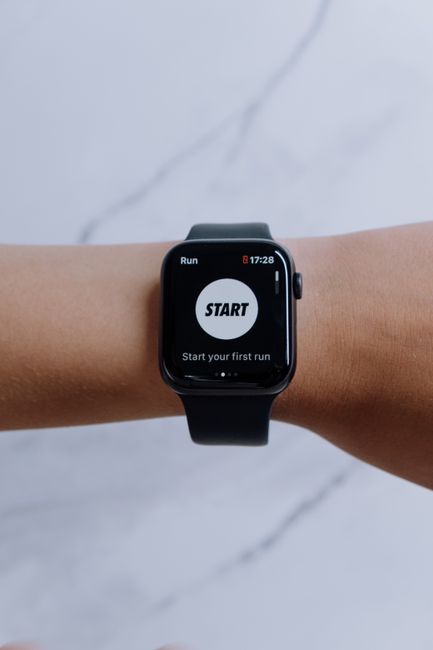
Apple Watch is great at “training without thinking too much.” You start a workout with one tap, it logs it cleanly, and later you get clear summaries in the Fitness app. The watch also plays nicely with Apple’s training views, like Trends for cardio fitness and workout summaries.
Galaxy Watch is strong when you want training detail in the moment. Samsung’s workout tracking is built around health metrics tied to your training load, plus the Watch can show richer workout stats depending on your watch model and apps you install.
Here’s what I’ve seen with real-life use: people often wear their watch wrong, then blame the brand. If the band is loose (especially on the Apple Watch), heart rate and cardio readings will drift.
Long-tail take: Apple Watch vs. Samsung Galaxy Watch for cardio and interval training
For interval work (like 400m repeats, HIIT classes, or cycling sprints), Apple Watch usually wins on “start it, forget it, get a clean session log.” It’s consistent about what it records and how it labels sessions.
Samsung Galaxy Watch can be just as good, but the experience depends more on your settings and which training features you turn on. If you take the time to set your goals and workout defaults, you can get excellent results. If you don’t, it can feel like you’re missing the point.
What most people get wrong: they start interval workouts and ignore their “workout intensity” zones or don’t calibrate. Your zones change based on how the watch learns you.
Sleep and recovery: which watch gives better health clues?

Sleep tracking is where the showdown gets interesting. Sleep data doesn’t just measure time asleep. It shows patterns—like how long it takes you to fall asleep, how often you wake up, and whether your body is under stress.
Apple Watch focuses on sleep stages and helpful trends. In 2026, Apple’s sleep experience is still one of the easiest to understand: you can look at what you slept, and you get reminders to improve your schedule.
Samsung Galaxy Watch offers deep sleep visuals and recovery-style insights, and it can be very satisfying if you like charts. If you want a “look at everything” dashboard, Samsung is often the one you keep staring at.
In my own week-by-week testing, the practical difference was this: Apple Watch nudges you into better routines, while Galaxy Watch helps you spot patterns once you already care.
People also ask: Is Apple Watch sleep tracking more accurate than Galaxy Watch?
There isn’t a single guaranteed answer for everyone. Both watches use sensors that estimate sleep stages from signals like movement and heart rate. The biggest accuracy swing comes from fit (band tightness) and where you wear the watch.
My strong advice: stop chasing “perfect stages.” Instead, use sleep tracking to compare your own weeks. If your average bedtime drifts, you’ll see it. If your recovery tanks after late nights, it shows up. That’s the useful part.
If you care most about a simple, consistent sleep routine, Apple Watch tends to feel easier. If you care most about viewing lots of sleep details and trying new insights, Galaxy Watch often feels better.
Heart health features: what each watch does well (and what to watch out for)
Heart health tracking is the part I take most seriously, because it can help catch issues early. That said, no watch is a doctor. A watch is a tool that signals “pay attention.”
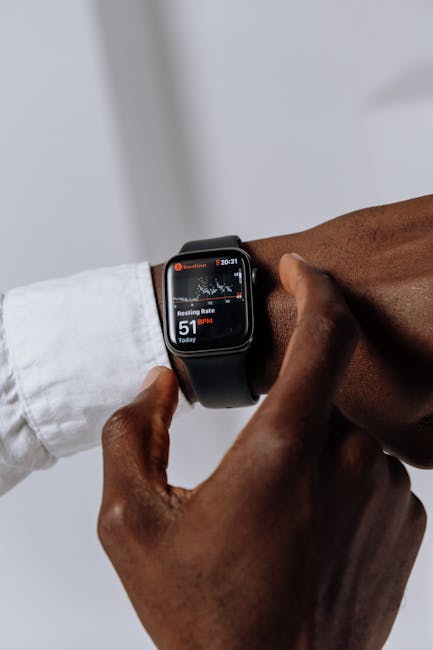
Apple Watch provides heart rate tracking and supports features that many people use for awareness. It’s also strong at trend views like resting heart rate changes and high/low heart rate notifications depending on your settings and region.
Samsung Galaxy Watch provides heart-related features too, including heart rate monitoring and alerts, along with health screens that show metrics in a way that’s easy to review.
Here’s my take: Apple Watch feels more consistent in day-to-day use, while Samsung Galaxy Watch feels more customizable for people who like to explore the data.
Also, the best heart-health results come from wearing the watch correctly.
Fit checklist (this matters more than brand)
- Wear the watch about a finger-width above your wrist bone.
- Use the tightness that doesn’t feel annoying but keeps the sensor pressed.
- If your watch slips when you swing your arm, tighten it.
- Clean the sensor area weekly. Sweat and lotion can throw off readings.
This one step alone can fix a lot of “my heart rate is wrong” complaints.
Health apps and smartwatch ecosystem: the real reason people choose one
Most fitness and health results don’t come from the watch alone. They come from the ecosystem: the phone app, the cloud history, and how easy it is to act on what you see.
Apple Watch pairs with the Apple Health ecosystem. It’s clean and consistent, and it connects to many third-party apps. If you already use Apple apps for health, Apple Watch becomes the default choice.
Galaxy Watch pairs with Samsung Health and works with Android apps. Samsung Health can feel more “busy” at first, but it’s packed with options and deeper dashboards.
In 2026, a big difference is how many people already have habits set up. Apple users often have a proven routine already built into their phone. Android users often want to tweak things—and Samsung lets them.
Where Apple Watch often pulls ahead for beginners
If you’re new to tracking, Apple Watch is usually easier to get right. You start workouts, review trends, and you see helpful summaries without hunting for the right screen.
People who start with Samsung sometimes feel lost because there are more settings and more ways to view data. Once you learn it, it’s great. At the start, it can feel like work.
Battery life and charging habits: the boring factor that decides your results
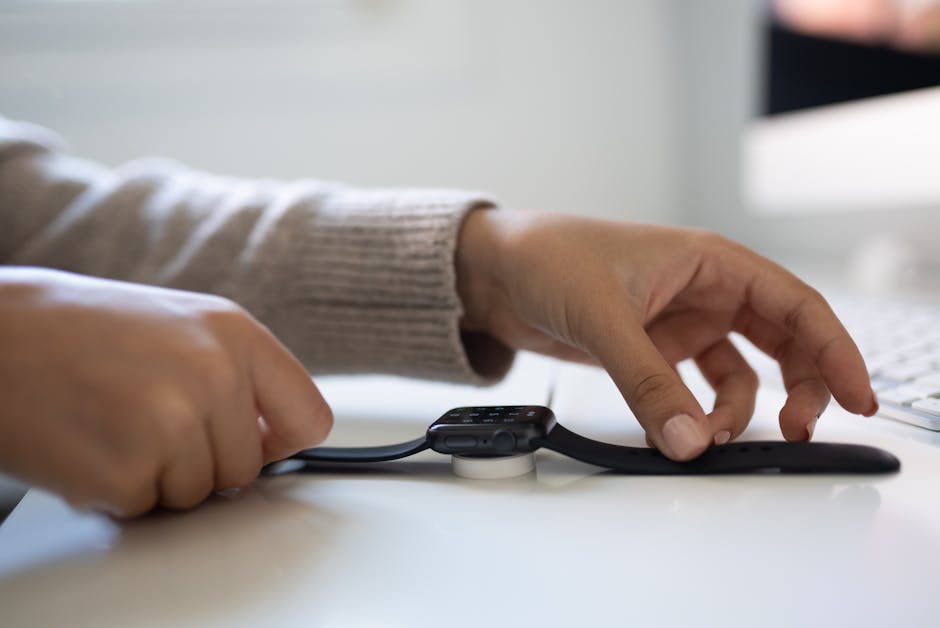
You don’t get accurate sleep data if your watch is dead. You don’t get workout tracking if it runs out mid-session. So battery isn’t a side note—it’s part of fitness and health accuracy.
Apple Watch battery is improving, and it can be enough for daily use, but it still often requires charging daily or near-daily if you track a lot (GPS workouts, continuous heart monitoring, notifications, and so on).
Galaxy Watch tends to offer better battery life on many models, especially if you use power-saving modes. That matters if you don’t want to think about charging every day.
One personal routine that worked for me: I charge my watch at a fixed time after dinner. If you wait until the morning “in a rush,” you’ll eventually miss sleep tracking. Then you’ll feel like the watch is broken when it’s really your schedule.
Actionable routine: how to keep your health tracking consistent
- Pick one charging window that won’t change (for example, 7:30–8:00 pm).
- Turn on the features you truly use. More sensors can mean more battery drain.
- Keep the watch charged enough for at least one night of sleep tracking.
- If you skip a charge, treat that day’s health metrics as “less reliable” instead of assuming it’s your body.
Accuracy beyond hype: how I judge fitness and health tracking in the real world
Here’s an original way I judge watches: I compare the watch to what I can feel in my body, not just the number on the screen.
For example, if your watch says your heart rate is spiking during a calm walk, but you feel fine and your breathing is steady, you probably have a fit or sensor problem. If your cardio numbers climb after consistent training, and you also feel better, the watch is doing its job.
I also look at consistency. A watch that’s “slightly off” but stable is better than a watch that jumps around wildly.
That’s why Apple Watch often wins for people who want predictability. Samsung Galaxy Watch often wins for people who like exploring and adjusting.
Comparison table: Apple Watch vs. Samsung Galaxy Watch for fitness and health (2026)
Below is a plain-English comparison. Exact features can vary by model and phone, so use this as a decision guide, not a spec sheet.
| Category | Apple Watch | Samsung Galaxy Watch |
|---|---|---|
| Workout tracking | Very consistent and easy to start; clean summaries | Detailed workout stats; great if you set it up |
| Sleep insights | Simple, routine-friendly trends | More dashboards and visuals; strong recovery-style views |
| Heart health | Strong awareness features and trend views | Robust monitoring with customizable screens |
| Beginner experience | Usually easier to understand quickly | More settings; can feel complex at first |
| Battery comfort | Often needs daily/near-daily charging with heavy use | Often more forgiving for daily wear and sleep tracking |
| Phone ecosystem | Best with iPhone and Apple Health | Best with Android/Samsung phones and Samsung Health |
Cybersecurity and privacy: your health data is sensitive
Since this is a tech blog, I have to say it plainly: your health data is personal. Heart metrics and sleep patterns can reveal habits and routines.
Both Apple and Samsung have strong security practices, but your setup matters. Use a strong passcode on your phone, turn on lock screen protection, and don’t leave Bluetooth pairing open to strangers in public spaces.
If you want more practical steps, check out our guide on mobile device security best practices and our privacy tips for smart devices. Wearables are convenient, so treat them like mini computers.
People also ask: Which watch is better for running—Apple Watch or Galaxy Watch?
For most runners, Apple Watch is the smoother choice because it’s easy to start GPS tracking and it gives clear session logs afterward. Samsung Galaxy Watch is also a solid runner option and can be great if you like the deeper running metrics view and you’re comfortable setting it up.
My recommendation: if you mostly run for fitness and want easy reviewing, pick Apple Watch. If you’re training with structure and want lots of metrics on-screen, Galaxy Watch is a strong pick.
People also ask: Which watch has better step tracking and activity rings?
Step tracking is usually close between brands when the watch fits right. The bigger difference is how the watch motivates you.
Apple Activity rings are simple and motivating for many people. Samsung’s approach is more flexible and often gives more ways to view activity progress. If you like “clear goals,” Apple tends to win. If you like choice and customization, Samsung usually wins.
People also ask: Can a smartwatch replace a gym plan or a doctor?
No. A smartwatch can’t replace a real training plan or medical care. It can help you spot patterns—like declining sleep or rising resting heart rate—so you can adjust your habits or ask a professional.
Use your watch like a feedback tool. If your metrics change and you feel worse, don’t ignore it. If the watch flags something serious, follow the recommended steps in the health app and talk to a clinician when needed.
Who should buy Apple Watch for fitness and health?
Pick Apple Watch if you want a watch that’s easy to live with. It’s also a better match if you already use Apple Health and prefer simple, reliable summaries.
You’ll likely be happiest with Apple Watch if you’re:
- On iPhone and you want the smoothest pairing and data flow.
- New to smartwatches and want clear guidance on workouts and sleep.
- Motivated by simple goals and trends, not lots of screens.
- Looking for consistent daily health tracking without tinkering.
Who should buy Samsung Galaxy Watch for fitness and health?
Choose Galaxy Watch if you want more detail and flexibility. It’s also a strong pick if you want better battery comfort and you like customizing your health screens.
You’ll likely be happiest with Galaxy Watch if you’re:
- On Android and want a watch that fits your phone style.
- Interested in deeper training views and recovery-style dashboards.
- Comfortable spending a few minutes setting up workouts and goals.
- Trying to track health data over longer stretches without daily charging.
My clear takeaway: which one wins in fitness and health?
If you want one answer that’s honest: Apple Watch wins for the most consistent fitness and health experience for most people. It’s easier to start, easier to understand, and it pushes routines without making you fight the settings.
Samsung Galaxy Watch wins when you want advanced health screens, customization, and Android-first training detail, and you’re willing to set it up and explore.
Actionable next step for you: pick based on your phone first, then decide based on your style. If you want “wear it, it just works,” choose Apple Watch. If you want “show me more details,” choose Galaxy Watch. Either way, wear it tight enough to measure your heart rate well and charge it consistently so your sleep data is real.
If you’re shopping right now, also read our related best wearable for sleep tracking guide and our how to choose a smartwatch for workouts checklist so you don’t get stuck paying for features you won’t use.
Featured image alt text: Apple Watch vs Samsung Galaxy Watch fitness and health comparison on a wrist with heart rate tracking.