Top 7 New Gadgets Worth Your Attention: Smart Home, Wearables, and Tech Upgrades
Last month I helped a friend set up a new smart home kit, and one thing stood out: the “coolest” gadget wasn’t the one with the most features. It was the one that worked reliably and didn’t turn into a security headache. That’s why this list focuses on real-world tech upgrades—smart home gear, wearables, and everyday devices that make your life simpler.
If you’re searching for the top 7 new gadgets worth your attention, you’re in the right place. Below are seven picks that fit common budgets, give clear benefits, and (most importantly) don’t create new problems. I’ll also share the mistakes people make when they buy these gadgets and how to avoid them.
Top 7 New Gadgets Worth Your Attention (Quick Picks)
Here are my best picks first, so you can scan fast. I’ve chosen gadgets that cover the smart home, wearables, and practical tech upgrades people actually use in 2026.
- Thread-ready smart lock for more stable home control
- Wi‑Fi 6E mesh kit for fewer dead zones
- Battery-first video doorbell for easier setup
- Health-tracking ring with strong sleep insights
- Smart earbuds with translation for travel and work
- Rugged smartwatch with better GPS + offline maps
- Local-first password manager upgrade for safer logins
Yes, one item is “software-y,” but that’s still a gadget upgrade in real life. Cybersecurity and device safety go together, and small changes stop big headaches.
What “Worth Your Attention” Actually Means in 2026
In 2026, a good gadget isn’t just new. It should be safe, stable, and easy to keep working.
When I test gear for this kind of list, I look for four things:
- Setup time: Can you get it running in under 30 minutes?
- Connectivity: Does it stay online, or does it keep dropping?
- Privacy: Does it ask for more data than it needs?
- Maintenance: Are firmware updates easy, and does the maker still update it?
Most people get tricked by “feature count.” I’d rather have one feature that works every day than five features that break after a router change.
Smart Home Gadget #1: A Thread-Ready Smart Lock
A Thread-ready smart lock is worth your attention because it can feel more stable than basic Wi‑Fi locks.
Thread is a low-power home network standard. Instead of every device screaming for Wi‑Fi, Thread devices can route through a small set of “Thread border” devices. The result is often fewer random disconnects, especially in thicker houses or apartments with lots of walls.
How a smart lock should work day to day
When you press a keypad or use an app, you want the door to unlock fast. In my experience, the biggest win is not speed—it’s consistency. You don’t want “unlocks sometimes” on a lock.
Here’s what to check before buying:
- Works with your door type: Deadbolt size and strike compatibility matter.
- Power options: Many locks run on batteries, so check battery life claims and replacement cost.
- Key sharing: Make sure you can add guest codes for a short time window.
- Audit logs: You want a history of access attempts for peace of mind.
What most people get wrong with smart locks
They rush past the security basics and assume “smart” means “safe.” In reality, poor app permissions or weak phone passcodes can be the weak link.
My rule: enable phone lock with a PIN and turn on two-factor sign-in for the lock app. If the lock supports it, use a unique account email—don’t reuse the same password you used in 2017.
If you want more security steps, this pairs well with our post on what 2FA means and how to set it up.
Smart Home Gadget #2: Wi‑Fi 6E Mesh for Dead Zone Fixes
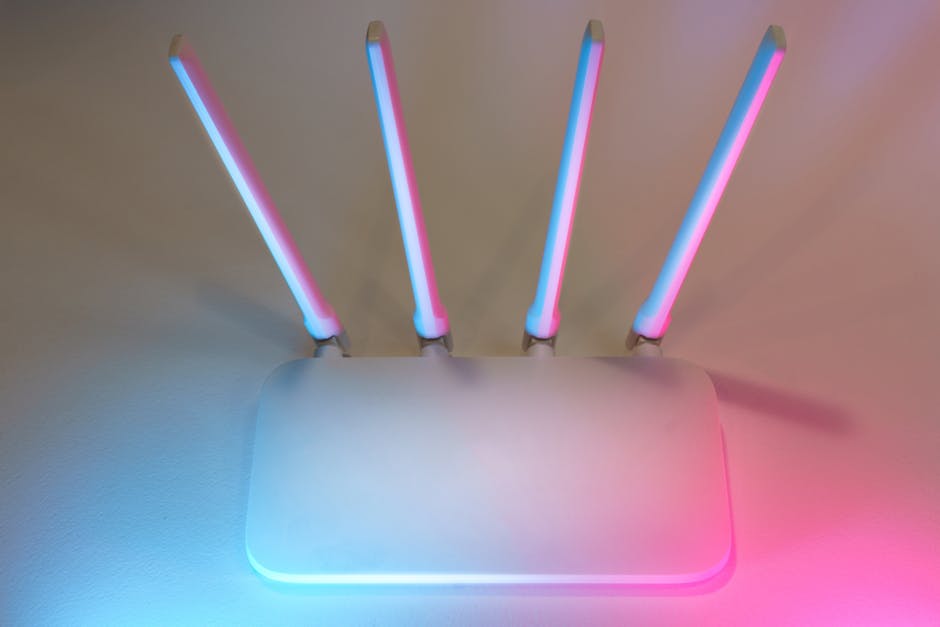
A Wi‑Fi 6E mesh kit is worth attention because it fixes the two problems people hate most: buffering and dropped calls.
Wi‑Fi 6E adds an extra radio band (around 6 GHz). That can mean less crowding in homes where the 2.4 GHz and 5 GHz bands are packed with neighbors’ networks.
But here’s the part people miss: mesh works best when your nodes are placed well. If you stack them in the same corner, you’ll pay for coverage you don’t get.
My practical mesh setup checklist (under 20 minutes)
- Start with one node near your modem/router. Aim for a central spot, not a back bedroom.
- Place the second node about one flight away. If you have a thick concrete wall, move it closer.
- Run a speed test in your usual spots. Sofa, desk, and bedroom corners are the real test.
- Split your device types by band if the router supports it. TVs and game consoles usually like 5 GHz or 6E.
Pros and cons of Wi‑Fi 6E
| What you get | Trade-off |
|---|---|
| Less network crowding on 6 GHz | 6E range can be shorter through walls |
| Faster speeds for phones, laptops, and newer TVs | Older devices may still use 2.4/5 GHz |
| Better call stability for video calls | Placement matters a lot for mesh nodes |
If your home is small and you have one router location that works, a mesh upgrade might be overkill. But if you’ve ever had Zoom die in the kitchen, it’s usually worth it.
Smart Home Gadget #3: A Battery Video Doorbell (Easy Install)
A battery video doorbell is worth your attention because it’s usually quick to install and less annoying than hardwiring.
In real homes, “hardwired” doesn’t always mean “easy.” Many doorbell wires are old, and swapping them can turn into an evening project. Battery doorbells skip most of that.
Still, battery doorbells aren’t magic. Motion detection settings change how often the battery drains.
How to set battery doorbells so they last
- Use motion zones: Block off busy streets or moving tree branches.
- Adjust sensitivity: If it records every bug and shadow, battery life will drop fast.
- Pick your recording quality: Higher resolution can mean more battery drain.
Also, test night vision before you assume it’s fine. I’ve seen doorbells look great in the store demo and then struggle with porch lighting in someone’s house.
For more “keep it secure” tips around cameras, see our guide in how to secure smart cameras and video doorbells.
Wearable Gadget #4: A Health-Tracking Ring for Sleep and Recovery
A health-tracking ring is worth attention because it’s a low-profile wearable that focuses on sleep and recovery trends.
Rings don’t feel bulky like some watches. That matters for sleep tracking, because you’re more likely to wear it every night. The best models track resting heart rate, sleep stages, and readiness or recovery scores.
What the ring should tell you (in plain language)
Here’s what I look for beyond “pretty charts.” A good ring helps you spot patterns like:
- Sleep debt trends over several weeks
- Changes in resting heart rate after stress or illness
- Recovery dips after hard workouts
If a ring only shows “last night: good/bad,” it’s less useful. You want trend lines and clear habits you can change.
Original insight: the ring wins when you stop obsessing
My take is simple: the ring is best when you use it like a coach, not like a judge. If you check it every time you wake up, you’ll stress yourself out. I recommend one quick check in the morning, then adjust your routine based on weekly averages—not single-night surprises.
Wearable Gadget #5: Smart Earbuds with Translation for Real Conversations
Smart earbuds with translation are worth attention because they make “talking to someone new” feel normal, not stressful.
Translation earbuds can reduce the awkward pause while you type in an app or pull out your phone. In travel and work meetings, that can save time and help you stay present.
How to test earbuds before you trust them
Here’s a practical method I use:
- Test them in a quiet room for one full minute.
- Repeat in a noisy space (cafeteria or outdoors).
- Try both short phrases and longer sentences.
- Check who has better volume: you or the person you’re speaking to.
If the other person can’t hear you clearly, translation won’t save the conversation.
What people forget with translated audio
These systems are great, but they still struggle with names, jokes, and slang. For best results, speak in shorter chunks. Don’t try to “talk like a movie character.” Clear, simple sentences work better.
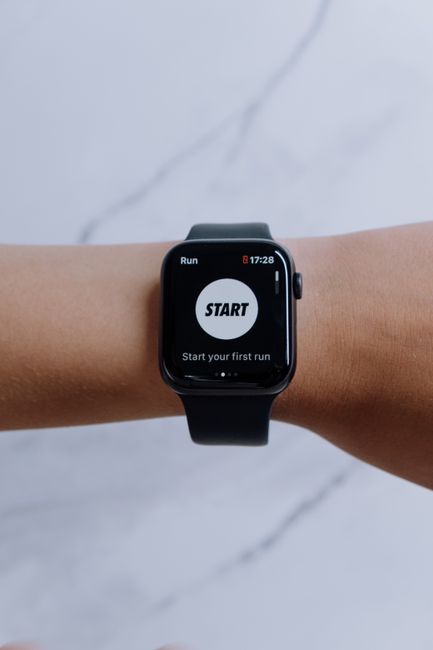
Wearable Gadget #6: A Rugged Smartwatch with Better GPS + Offline Maps
A rugged smartwatch is worth your attention because it gives real outdoor value when you’re away from cell service.
Many people buy watches for notifications. That’s fine, but the real upgrade is when you get lost less. Look for strong GPS accuracy, offline maps, and quick satellite lock in the outdoors.
What to look for if you do walks, runs, or day hikes
- Offline maps: You can follow routes without data.
- Battery life: Outdoor tracking drains batteries fast.
- Workout modes: Trail running, cycling, and hiking profiles are useful.
- Water resistance: Check real specs, not vague marketing.
I also like watches that let you change settings quickly. On a hike, you don’t want to tap 20 screens to start a route.
Limitations (honest note)
If you mostly stay indoors, a rugged watch can feel like extra cost. For indoor use, a simpler style smartwatch might be enough. But if you spend weekends outside, offline maps and strong GPS are the difference between “fun walk” and “why is my phone dead?”
Tech Upgrade Gadget #7: A Local-First Password Manager
A local-first password manager is worth your attention because it reduces the damage when a website or company has a breach.
A password manager is one of the most important “gadget upgrades” you can make. It’s the tool that stops you from reusing passwords and it helps you generate unique passwords for each site.
Local-first means your sensitive data is protected in a way where it’s primarily stored and processed on your devices, not only in a remote server. The exact implementation depends on the product, but the idea is to reduce trust in any single remote service.
What to check before you switch
- Easy migration: You want to import from your current browser/manager.
- Two-factor login: Many managers support authenticator apps for extra safety.
- Emergency access options: Check how trusted people can get access if you’re locked out.
- Auto-lock timing: Set it to something like 1–5 minutes.
Quick step: lock down your account today
After you install a password manager, do this immediately:
- Turn on two-factor authentication for your email account first.
- Update the password manager account using a fresh strong password.
- Generate new passwords for your top 10 important sites (banking, email, shopping).
This pairs with our password reuse risks and how to fix them guide, which includes a simple approach that doesn’t take all day.
People Also Ask: Smart Home, Wearables, and Tech Upgrades
What are the best new smart home gadgets in 2026?
The best smart home gadgets in 2026 focus on stable connections and simple setup: Thread-ready devices, Wi‑Fi 6E mesh systems for coverage, and video doorbells that don’t require stressful hardwiring. If your home network is weak, even the fanciest gadget will feel unreliable.
Which wearables are actually worth buying?
Wearables are worth it when they change what you do, not just what you see. A sleep-focused ring is a strong pick if you want better rest habits. A rugged smartwatch with offline maps is worth it if you spend time outdoors and care about route tracking.
Do I need Wi‑Fi 6E if I already have Wi‑Fi 6?
You don’t always need Wi‑Fi 6E. If your home is small, your current Wi‑Fi 6 router covers everything, and your devices don’t struggle during busy hours, you may not feel much improvement. But if you have dead zones or lots of “neighbors Wi‑Fi traffic,” Wi‑Fi 6E mesh can make a real difference.
How do I keep smart gadgets secure without being a security expert?
Use a few rules and you’ll be ahead of most people. Set strong phone and router passwords, turn on two-factor authentication for your smart home accounts, and update firmware when the app prompts you. Also, avoid giving every gadget admin access to your main accounts.
What should I do before buying a new smart camera or doorbell?
Check three things: where recordings are stored, whether you can turn off unnecessary features, and how you manage access to the app. Then set motion zones so it records what you care about, not every moving shadow.
How to Choose Between These Top 7 New Gadgets (Based on Your Life)
Pick gadgets based on your pain points, not what’s trending online. Here’s a fast way to decide which upgrade to do first.
- If your Wi‑Fi drops calls: Start with a Wi‑Fi 6E mesh kit.
- If you keep skipping doorbell installs: Choose a battery video doorbell.
- If you want better sleep without wearing a watch: Get a health ring.
- If you hike or travel: Pick a rugged smartwatch with offline maps.
- If you reuse passwords: Start with a local-first password manager.
One more thing I learned the hard way: don’t buy five devices at once and then panic when something doesn’t connect. Add one upgrade at a time, test it for a week, and then move on.
Action Plan: Your 60-Minute Tech Upgrade Checklist
If you want the best results, follow a simple plan. This is how I’d do it for a new home setup, and it works in apartments too.
- Update your router firmware. Then reboot it once.
- Set your Wi‑Fi network names clearly. If possible, keep bands separate (6E vs 5 GHz).
- Install the password manager first. Create strong passwords before signing into smart devices.
- Add smart devices one by one. After each one, confirm it’s stable and updated.
- Lock down camera and doorbell settings. Set motion zones and check privacy options.
You’ll avoid most of the “why won’t it connect?” frustration. And you’ll cut down the time spent redoing settings later.
Conclusion: Choose One Upgrade That Removes a Real Problem
The top 7 new gadgets worth your attention aren’t the ones with the longest spec sheet. They’re the ones that solve daily problems: coverage gaps, unreliable smart access, unclear video alerts, messy logins, and wearables that actually guide your habits.
If you only pick one thing this month, make it this: improve your home setup and your account safety together. A strong password manager and stable connectivity will make every other gadget feel smoother—and you’ll spend less time fixing things you didn’t need to break in the first place.
Featured image alt text suggestion: “Top 7 new gadgets worth your attention for 2026 smart home and wearable tech upgrades”