Smartwatch Roundup: Best Features to Look For (GPS, Sensors, Battery) in 2026
A GPS miss is the fastest way to ruin a run. I learned this the hard way while testing a watch on a cloudy evening—my route track lagged behind me, and my pace looked “wrong” for the whole session. That’s why, when people ask me what to buy in 2026, I don’t start with brand names. I start with features: GPS quality, the sensors that drive health readings, and battery life that actually lasts through your week.
Smartwatch roundup for 2026 should be simple: get GPS that locks fast and stays accurate, sensors that match your goals (sleep, heart rate, training), and a battery that won’t die at the worst time. Below are the best features to look for, plus practical “what to test” steps you can use before you commit.
What “good” GPS looks like in 2026 (and what most people miss)
Good GPS means your watch locks quickly, tracks smoothly, and doesn’t drift when buildings get in the way. In 2026, you should expect multi-band GPS (more than one type of radio signal), plus support for common satellite systems. That combination reduces jumps and gaps in your route.
Here’s what most people get wrong: they judge GPS only by one outdoor walk in clear weather. Your real life includes trees, downtown streets, parking garages, and quick turns. So you need a test that covers those conditions.
GPS specs to look for: multi-band, quick lock, and stable tracking
Multi-band GPS refers to using more than one frequency to improve accuracy, especially near tall buildings. Quick lock means the watch finds satellites faster after you put it on.
- Multi-band support: Look for watches that advertise multi-band GPS or “advanced GPS.”
- Satellite system coverage: In plain terms, support for multiple satellite networks helps when one system struggles.
- Route stability: Your track should follow curves without “cutting corners” or snapping back.
My quick GPS test you can do at home
I use a simple routine because it’s repeatable. Walk outside for 10 minutes along a route with at least one area of shade (trees) and one area with buildings. Then compare your watch’s track to your phone’s map replay.
- Start a run or walk using the watch’s GPS sport mode.
- After 5 minutes, do one hard right turn and one left turn.
- Finish and look at the map track for gaps or sudden jumps.
If your track shows big detours or long blank sections, that watch needs work—or you need better GPS settings like “high accuracy mode.”
Best smartwatch sensors: HR, SpO2, motion, temperature, and sleep
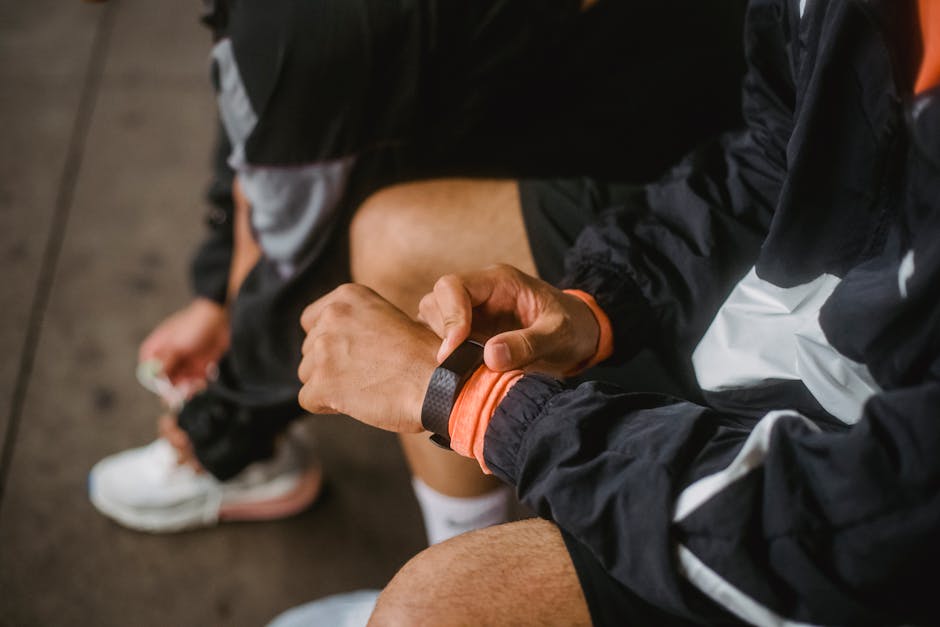
Sensors are where most “cheap vs. great” differences show up. The watch doesn’t just show numbers—it uses sensors to estimate your workouts, recovery, and sleep stages.
In 2026, you’ll see heart-rate sensors (optical), blood-oxygen sensors (SpO2), motion sensors (accelerometer/gyroscope), and sometimes skin temperature sensors. Even if you’re not a fitness expert, these matter for features like automatic workouts, stress readings, and sleep score trends.
Heart-rate sensors: accuracy depends on fit
Optical heart-rate sensors read blood flow using light under the watch face. If the watch sits too loose, readings drift. I’ve seen this when I test watches that feel “light” but don’t stay snug during sweaty workouts.
- Look for: Strong heart-rate performance and adjustable band fit.
- Test it: Compare your watch heart rate to a chest strap during a 10–15 minute steady session.
- Watch for lag: Heart rate should respond quickly when you start moving.
SpO2 sensors: what it’s good for (and what it isn’t)
SpO2 is blood oxygen saturation. It’s most useful as a trend across nights, not as a medical diagnosis. In real use, I like it for spotting patterns—like when sleep quality dips or when altitude affects how you feel.
If a watch claims SpO2 that stays “perfect” every minute, that’s usually marketing. Sensors work best when you wear the watch consistently and keep it snug enough to make stable contact.
Skin temperature: helpful, but only if the watch explains the data
Some watches include skin temperature sensors to estimate changes in sleep and recovery. I like these features more when the watch shows context—like baseline trends—rather than single dramatic spikes.
Don’t treat temperature like a fever thermometer. It’s closer to “a signal the watch reads over time.”
Motion sensors and workout detection
Accelerometer and gyroscope sensors help the watch recognize when you’re walking, running, cycling, or doing other activities. This is a big deal for people who hate pressing buttons.
When motion detection works well, it starts the workout on time and stops it at the right moment. When it’s weak, you get fragmented stats and weird calorie counts.
Battery life that fits your routine (not just a “max days” claim)
Battery life is the feature you feel every single day. A watch with “5 days” can still be great if you charge it at night. But a watch that claims “up to 7 days” and needs a daily top-up will frustrate you fast.
In 2026, most smartwatches trade off between accuracy (like GPS tracking) and battery drain. So you should choose based on how you actually use the watch.
What affects smartwatch battery in 2026
Battery drain comes from a few places. If you understand those, you can stop guessing and start managing.
- Always-on display (AOD): Great for quick glances, but it costs power.
- GPS use: Multi-band tracking drains more than “basic” GPS.
- Heart-rate sampling: More frequent readings can shorten battery life.
- LTE/5G: Cellular can be convenient, but it’s one of the biggest drains.
- App notifications and watch faces: Fancy faces with lots of animations can add up.
Battery reality check: how to choose the right “mAh story”
Some brands talk about battery in their own way, and it can be hard to compare across companies. Here’s my approach: pick your “worst week” use, not your best week.
Ask yourself: do you do GPS workouts 4–6 times a week? Do you stream music from the watch? Do you use maps during runs? Those choices decide whether you’ll charge every night or only every few days.
My recommended charging routine for busy people
I’ve settled on a simple rule. Charge the watch to full while you shower or get ready in the morning—then use it all day. If you work late, keep a short 10–15 minute top-up in your bag for emergencies.
That’s also a good way to avoid the common mistake of waiting until the battery is near zero. Lithium batteries last longer with more “small charges” rather than deep drains.
Feature roundup: the “must-haves” beyond GPS, sensors, and battery
Even when GPS, sensors, and battery are strong, the watch still needs to fit your life. The best 2026 smartwatches don’t just measure—they help you act on the data.
Here are the extra features I look for when I test a watch for a week.
1) Training tools that don’t bury you in charts
Training is easier when the watch shows clear targets: pace goals, zone breakdowns, and simple recovery notes. I prefer watches that keep the “why” short and the “what to do next” obvious.
- Real-time pace and HR zones
- Workout summaries you can understand fast
- Auto-detected activities you can correct when needed
2) On-wrist mapping and route support (for people who run outside)
Mapping support is more useful in 2026 than it was years ago, because routes can sync and directions can improve. But I still recommend you test it on a route you know.
If your watch shows a route that looks right but the direction prompts feel delayed, your “fun run” becomes stress. That’s why I always do a short test lap.
3) Offline music and stable Bluetooth
If you run without your phone, offline music matters. Also pay attention to Bluetooth stability—especially if you use earbuds or a bike headset.
In my experience, watches with smoother Bluetooth reconnect behavior feel “higher quality” even when the UI isn’t fancy.
4) Payment and contactless support (and the security angle)
Payments on a watch are convenient, but they also raise security questions. If your watch supports contactless payments, you should use a passcode lock and turn on automatic lock when you take it off.
For extra safety, you may also want to read this related piece on how to secure your smartwatch against account takeovers in everyday life. It’s not scary—just practical.
Comparison table: what to prioritize based on how you use your watch
Not everyone buys a watch for the same reason. Use this table to narrow your priorities fast.
| How you use a smartwatch | GPS focus | Sensors that matter most | Battery expectations | What to avoid |
|---|---|---|---|---|
| I run 3–5 times/week | Multi-band + stable tracking | Heart rate + accurate sleep trend | At least 2–4 days | Basic GPS only with daily training |
| I walk + want health tracking | Good enough for outdoor walks | SpO2 + motion accuracy | 3–7 days | Always-on display everywhere if battery is short |
| I cycle or use navigation often | Tracking stability + route guidance | HR zones + motion sensors | 2–5 days (more if you charge midweek) | “GPS only” without route support |
| I want a simple watch for work | Not your main factor | Sleep quality + HR basics | 5–10 days (with AOD off) | LTE features if you don’t need it |
People Also Ask: GPS, sensors, and battery questions
How accurate is smartwatch GPS compared to a phone?
In 2026, many good smartwatches can be close to phone accuracy on outdoor runs, especially with multi-band GPS. The biggest difference is that phones often update more frequently in the background, while watches focus on saving battery.
If you want phone-like accuracy, test the watch with its highest accuracy GPS mode and compare the route overlay in your map app. Also check whether the watch is saving battery by lowering GPS precision mid-run.
Which smartwatch sensors are most important for sleep tracking?
For sleep, motion sensors and heart-rate patterns usually matter more than extra “gadgets.” Many watches also add temperature and SpO2, which can improve trend reading, but they’re not as useful as consistent wearing.
What I’ve seen in real use: if the watch moves around your wrist overnight, sleep stages get less reliable. A snug band and correct placement on the wrist do more than upgrading the sensor spec on paper.
Why does my smartwatch battery drop fast after a software update?
After updates, some watches run background indexing, re-learn sensors, or increase certain sampling rates. That usually settles after a few days, but you can speed things up by rebooting the watch and double-checking settings like AOD, HR frequency, and LTE.
If battery drops sharply and stays that way, check whether you accidentally enabled power-hungry features. This is also a great time to review your notification settings.
Security and privacy basics for smartwatch owners (worth doing in 2026)
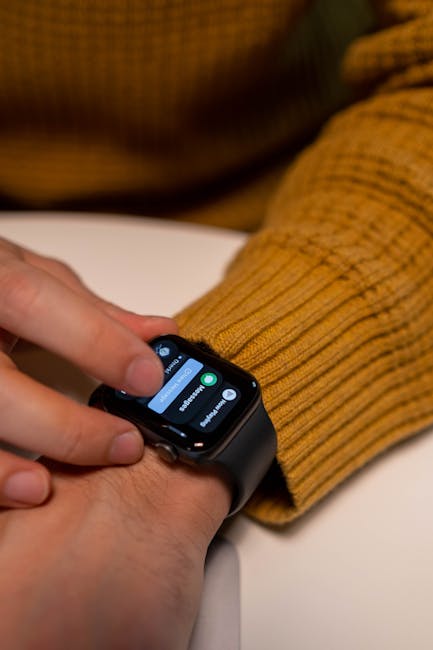
A smartwatch is a sensor on your body, plus a mini computer on your wrist. That means it can collect health data, location history, and device activity. In 2026, the safe move is to set it up like you care about privacy, not like you’re ignoring it.
Simple steps that reduce risk without feeling technical
- Use a strong watch PIN (not just a swipe).
- Turn on automatic lock when the watch detects it’s off-wrist.
- Keep the watch updated and install security patches promptly.
- Review app permissions in the companion phone app.
If you want a deeper guide, your blog’s tech readers usually like step-by-step checklists. You can pair this article with a smartphone privacy checklist since most smartwatch data flows through your phone too.
How I pick the best smartwatch for someone else (my 10-minute decision system)
I don’t do “spec sheet magic.” I do a quick, real-life filter that matches how people live.
Here’s my system I use when I’m helping a friend choose between two models.
- Pick your top priority: GPS accuracy, health sensors, or battery life.
- Turn on the same test mode: highest accuracy GPS for runs.
- Check band comfort: can you wear it snug for 8 hours?
- Look for sensor consistency: compare readings to a chest strap if you have one.
- Plan charging: decide whether you’ll charge daily, every other day, or weekly.
Original insight from my own testing: the “best” watch is often the one with fewer confusing features. If a watch has 15 training screens but the GPS track keeps drifting, you don’t get better workouts—you just get more frustration.
Actionable buying checklist: Smartwatch features to look for in 2026
Use this checklist when you’re comparing models. It’s built to keep you from getting tricked by marketing blurbs.
- GPS: Multi-band support, fast lock, stable tracking on turns.
- Sensors: Heart-rate fit + reliable SpO2 trend + motion sensors for sleep/workout detection.
- Battery: Choose based on your weekly GPS and LTE use, not the “up to” number.
- Controls: Make sure you can start workouts without digging through menus.
- Security: Set watch lock, PIN, and permissions before you store any payments.
My bottom line for the Smartwatch Roundup in 2026
If you only remember one thing, remember this: GPS quality, sensor consistency, and real battery habits matter more than raw brand hype. In 2026, the best smartwatch features are the ones that stay accurate when your day gets messy—rain, buildings, sweaty workouts, and late-night charging surprises.
Pick the watch that matches your routine, then do a short GPS test and a one-week wear test before you call it “the one.” If you do that, you’ll avoid most buyer regret and end up with a smartwatch that actually helps, not just looks good on your wrist.
Featured image alt text suggestion: Smartwatch roundup in 2026 showing GPS map track, heart rate sensors, and battery settings.