
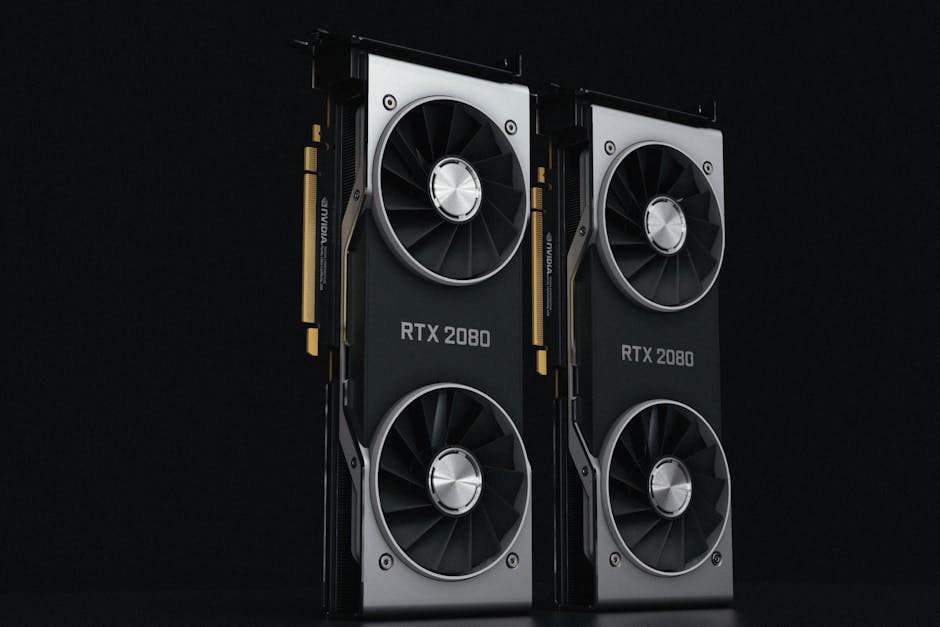
GPU Buying Guide 2026: How to Choose Between RTX, Radeon, VRAM, and Ray Tracing
If your current GPU feels slow, don’t guess. In 2026, the “right” graphics card isn’t just about raw speed—it’s about VRAM size, ray tracing needs, and whether you’ll use Nvidia’s or AMD’s features. I’ve watched friends buy the wrong card because they only looked at the benchmark headline, then paid the price a month later when new games turned the VRAM dial way up.
This GPU Buying Guide 2026 will help you pick between RTX (Nvidia) and Radeon (AMD), choose the right VRAM, and decide if ray tracing is worth the performance hit for your games.
Quick answer: what should you buy in 2026?
Pick your GPU based on your screen resolution first, then VRAM, then ray tracing. If you mostly play at 1080p and don’t care about ray tracing, you can buy a faster card with less VRAM and still be happy. If you play at 1440p or 4K, VRAM matters a lot more than people think.
My rule of thumb as of 2026: for most new AAA games, aim for at least 12GB VRAM for 1080p, 16GB for 1440p, and 20–24GB for 4K if you want to keep textures high for the next few years. If you want heavy ray tracing, those numbers can jump because ray tracing eats both compute and memory.
RTX vs Radeon in 2026: the real differences that affect your games
The biggest difference isn’t the brand name. It’s what each company ships in the games today: upscaling tools, frame generation, video features, and how well drivers handle new releases.
What “RTX” really means (and why ray tracing support matters)
RTX refers to Nvidia’s lineup that includes ray tracing hardware and software features like DLSS (Deep Learning Super Sampling) and frame generation. Ray tracing is the technique that simulates how light bounces in real life, so shadows and reflections look more realistic.
When you turn on ray tracing, you’re asking the GPU to do extra work. In my experience, Nvidia cards feel more “set and forget” for ray tracing because DLSS tends to recover performance better in many modern games.
What “Radeon” focuses on: value and raw memory
Radeon is AMD’s GPU family, and in 2026 it competes strongly on price and VRAM size. AMD also uses advanced upscaling tools (often branded as FSR) and frame generation in supported games.
AMD cards can be a great deal when you find them close in price to Nvidia. The common win is VRAM: AMD often ships more memory at the same budget, and that helps when games stream textures aggressively.
What most people get wrong: buying by brand instead of by features
The mistake I see most is choosing “Nvidia because it’s better” or “AMD because it’s cheaper.” That’s backwards. You should check two things before buying: (1) do the games you play support the upscaling and frame generation methods that card uses, and (2) does the GPU have enough VRAM for those games at your settings?
If you mostly play esports titles like Valorant, Fortnite (performance mode), or CS2, ray tracing is usually off and VRAM needs are lower. In that case, you’re really buying a fast raster (normal rendering) card, not a ray tracing workstation.
VRAM guide 2026: how much do you need and why it changes year to year
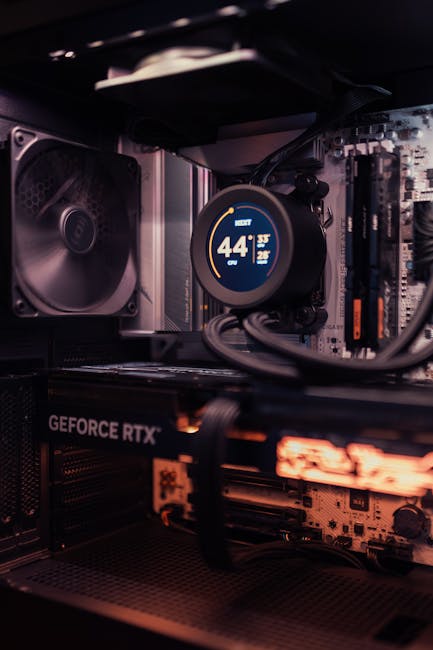
VRAM is the GPU’s fast memory where it stores textures, meshes, frame buffers, and other game data. When VRAM runs out, the system starts swapping data, and that’s when you see stutter and sudden drops.
VRAM isn’t just a number on a spec sheet. It controls how high you can set textures and how smooth your experience stays as games update.
VRAM by resolution: a practical checklist
Use this as a starting point for 2026 purchases. You can go lower if you plan to play on Medium settings and use upscaling, but don’t do it blindly for newer AAA games.
- 1080p (Full HD): 8–12GB is usually enough for many gamers. If you play new AAA games with high textures, 12GB feels safer.
- 1440p (QHD): 12GB can work, but 16GB is the comfort zone for high textures.
- 4K: 16GB often becomes a limiter. For smoother 2026-era titles, 20–24GB is a better target.
Texture settings matter more than you think
Texture quality is the first setting that silently eats VRAM. In real life, I’ve had systems run smoothly at “High” until a new patch arrived, and suddenly the same settings caused hitching. The patch added more detailed assets, and the VRAM headroom got smaller.
If you want a long-lasting card, choose VRAM first, then settle the rest. A slightly slower GPU with more VRAM can feel faster over time because it avoids those memory hiccups.
The “VRAM myth” people repeat
People often say, “VRAM doesn’t matter if the GPU is fast.” That’s not true. Speed helps compute, but memory decides what assets can stay resident (kept ready) while you play.
Even if a GPU is fast, running out of VRAM can force the GPU to fetch data again and again. That shows up as micro-stutter that’s easy to miss in a benchmark video but obvious in daily play.
Ray tracing in 2026: what it costs and when it’s worth turning on

Ray tracing is one of those features that can look amazing and still waste your time if you use it in the wrong games or at the wrong settings. In 2026, the key is understanding the difference between “pretty ray tracing” and “performance-friendly ray tracing.”
Ray tracing basics (plain English)
Ray tracing refers to rendering light paths so reflections, shadows, and lighting look more natural. Traditional rendering fakes some of this using tricks, which are faster but less realistic.
When you enable ray tracing, you usually also want an upscaling tool (like DLSS or FSR) to keep frames smooth.
How to test if ray tracing is worth it for your games
Do a quick two-run test in the game you actually play. Turn ray tracing on at your usual settings, then compare against a version with it off.
- Choose a demanding area (city street at night, indoor corridor with reflections, or a big open area with weather).
- Record FPS and watch the frame pacing. Frame pacing is how evenly frames come out, not just the average FPS.
- Try one “middle” ray tracing setting. Don’t jump straight to Ultra unless you’re buying for it.
In many cases, “Medium ray tracing + upscaling” looks good and keeps performance stable. Ultra ray tracing without upscaling can feel like you’re playing through pudding—fine at first, then annoying after 10 minutes.
When ray tracing is not a priority
If your game list is mostly multiplayer shooters, ray tracing usually doesn’t add much to your play. You might prefer high refresh rate (like 144Hz or 240Hz) over prettier reflections.
Also, ray tracing can vary a lot by game. Some titles are ray tracing-focused; others barely use it beyond a small reflection pass.
Build scenarios for 2026: choose your GPU by resolution and workload
Instead of starting with “what’s the fastest GPU,” start with what you do on your PC. Here are real-world style picks based on common setups I see in 2026.
Gaming at 1080p (smooth, fast, and affordable)
If you play at 1080p and want high FPS, you’ll usually get the best experience by focusing on strong performance and enough VRAM for texture settings—not max ray tracing.
- Target: 120–240 FPS depending on your monitor
- VRAM goal: 12GB if you like High textures
- Ray tracing: light use or off; rely on upscaling if you turn it on
For this tier, I’d rather buy a GPU that runs your games well with ray tracing off than chase a ray tracing monster you’ll barely use.
Gaming at 1440p (the sweet spot for many people)
1440p is where VRAM starts to matter more. You also tend to notice image quality more, so most people end up turning textures up.
- Target: stable 90–165 FPS with tweaks
- VRAM goal: 16GB for less worry
- Ray tracing: on “Medium” with upscaling for demanding games
If you stream games or record, you’ll also appreciate more headroom, because recording can add extra workload and memory use.
Gaming at 4K (best visuals, highest cost)
4K is where people feel the biggest disappointment when they buy too little VRAM. You can get high FPS in some scenes, then hit sudden drops when textures and effects blow past the memory budget.
- Target: 60–120 FPS depending on the game and settings
- VRAM goal: 20–24GB for modern AAA with high textures
- Ray tracing: often better used with upscaling, not full Ultra at native res
In 2026, “4K ray tracing” usually means ray tracing plus upscaling. That’s not a downgrade—it’s how most real builds stay playable.
RTX vs Radeon feature checklist (so you don’t get stuck after purchase)
Before you buy, confirm your favorite games actually use the features you’re paying for. The fastest card on paper can feel slow if it can’t use the upscaling method your game supports.
Check these 6 things for your specific games
- Upscaling support: Does your game support DLSS-like or FSR-like upscaling?
- Frame generation: Is frame generation available and does it look good in your game?
- Driver track record: Look for recent driver updates for the exact game you play.
- VRAM and texture load: Search for benchmarks using the same texture preset (High/Ultra).
- Power needs: Don’t ignore PSU and case fit. A bigger card can mean a bigger power plan.
- Video features: If you care about editing or streaming, check the encoder quality.
My personal take: choose the “feature match,” not the “feature hype”
I’ve helped two people troubleshoot “it’s stuttering” after buying a GPU. One had the right FPS in benchmarks but wrong in-game settings. The other bought a card with strong ray tracing support but never used it, then regretted paying extra.
So here’s my opinion: buy for the settings you’ll actually use. If you know you’ll play with ray tracing mostly off, don’t overspend on the ray tracing premium.
Comparison table: how to think about RTX, Radeon, VRAM, and ray tracing
This table is meant to guide your decision quickly. It’s not a promise that every model behaves the same, but it keeps you from making dumb mistakes.
| Thing to choose | What to look for in 2026 | Who benefits most | Common mistake |
|---|---|---|---|
| RTX (Nvidia) | Strong ray tracing support + upscaling quality in supported games | Ray tracing fans, people who play big new AAA titles | Paying extra without checking if your games use those features |
| Radeon (AMD) | Good value, often more VRAM at similar price, solid upscaling support | Budget buyers and VRAM-sensitive gamers | Assuming every game has the same image quality with upscaling |
| VRAM | Enough memory for your resolution and texture settings | 1440p and 4K players, people who keep textures on High | Buying “fastest GPU” with too little VRAM and later dealing with stutter |
| Ray tracing | Performance hit + need for upscaling to keep frames smooth | Single-player gamers who care about visuals | Turning everything to Ultra at native res expecting smooth FPS |
People Also Ask: GPU Buying Guide 2026
Is 8GB VRAM enough in 2026?
For many new AAA games at higher settings, 8GB VRAM is tight in 2026. It can work at 1080p if you lower textures and use upscaling, but you’ll notice more stutter as games get heavier.
If you buy with 8GB VRAM, plan on turning textures down or using performance-focused settings. If you want fewer compromises, 12GB or 16GB is the safer path.
Should I buy an RTX or Radeon for ray tracing?
If ray tracing is a big deal for you, Nvidia’s RTX lineup often gives smoother results in more games because its ray tracing plus upscaling approach is widely supported.
That said, if your budget is tight or you value extra VRAM for texture quality, AMD can still be a smart choice. Pick based on the specific games you play and the settings you plan to use.
How much VRAM do I need for 4K gaming in 2026?
For 4K gaming in 2026, aim for 20–24GB VRAM if you want high textures without constant compromises. With 16GB, you’ll often need to lower textures or accept more stutter in demanding scenes.
If you’re the type who plays with upscaling and ray tracing turned down, 16GB can still be playable. But if you want the “set it and forget it” feel, don’t cut it too close.
Is more VRAM always better?
More VRAM helps when games exceed your memory budget, but it doesn’t replace a faster GPU core. Think of it like having more room in your storage unit: it helps a lot when you’re filling it up, but you still need the truck to move things fast.
A balanced card with enough VRAM and strong compute beats a card that’s only high in one spec.
Does ray tracing reduce FPS more than people expect?
Yes. Ray tracing usually cuts performance a lot more than the game’s menu makes it look. In many titles, you’ll need upscaling to keep a smooth experience, especially at 1440p and 4K.
That doesn’t mean ray tracing isn’t worth it. It means you should treat it like a “visual mode” you tune, not a one-click setting.
Do I need ray tracing if I have a 240Hz monitor?
Not for most players. A 240Hz monitor is about very smooth motion and low input lag. Ray tracing often forces you to turn down other things or rely on upscaling and frame generation, which can change how “raw” competitive play feels.
If you play esports, keep ray tracing off and prioritize FPS and responsiveness.
Practical buying steps: how to pick the right GPU without regrets
Here’s a simple process I use when advising someone. It takes about 20–30 minutes and saves money.
Step-by-step GPU choice process
- Write down your resolution and refresh rate. 1080p/144Hz vs 1440p/165Hz changes the target.
- List 5 games you play most. Don’t guess—name them.
- Choose your settings style. Do you like High textures? Do you turn on ray tracing? Are you okay with upscaling?
- Pick VRAM first. Match VRAM to your resolution and texture habits using the checklist above.
- Then pick GPU performance. Compare results with similar settings (not just “Ultra” versus “Medium”).
- Finally check power and space. Look up the card length, PSU wattage needs, and your case clearance.
That last step sounds boring, but it’s where installs go wrong. I’ve seen builds where the GPU blocked a front fan or the PSU cables barely reached.
Power, thermals, and physical fit (quick reality checks)
In 2026, higher-end GPUs often draw more power than older cards. Check the card’s recommended PSU wattage and make sure your power supply has the right PCIe power cables.
Also measure your case. GPU length and cooler thickness matter as much as performance.
Cybersecurity side note: don’t ignore driver safety
This is not glamorous, but it matters. GPU drivers are software you install deep into your system, so you should download them from the official site or trusted sources.
If you like to read more about staying safe while downloading tech software, you’ll probably enjoy our post on how to spot fake driver downloads in the wild. It helps you avoid malware that hides as “graphics driver updates.”
Internal links: related guides to help you finish the job
If you’re also thinking about the rest of your setup, these other posts can help. GPU choice is part performance, part comfort, and part “will it actually work with my system.”
- How to build a gaming PC in 2026: parts checklist (power, cooling, and compatibility)
- Best monitor settings for competitive gaming (refresh rate, motion, and tuning)
- How to tune GPU settings for FPS without visual pain
Conclusion: the one takeaway that saves you money
In 2026, the best GPU buying decision comes from matching resolution + VRAM + your real ray tracing habits. Don’t buy on brand alone, and don’t buy on the biggest FPS chart if your games will hit VRAM limits or if you’ll never use ray tracing.
Use the VRAM checklist, test ray tracing in your own games, and pick the card that fits your settings style—not someone else’s benchmark video. If you do that, you’ll feel the difference every day, not just in one screenshot.
Featured image alt text suggestion (for your CMS): “GPU Buying Guide 2026 showing RTX vs Radeon with VRAM and ray tracing settings on a gaming PC”